
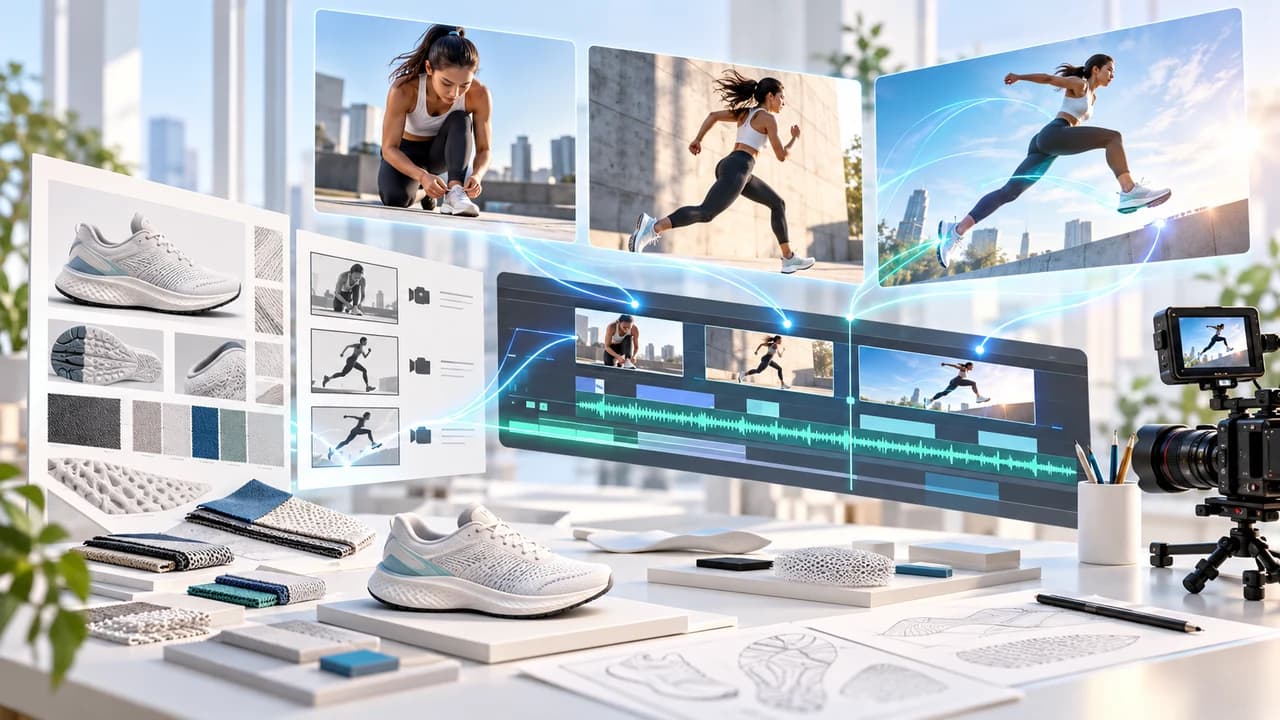
Seedance 2.5 sports commercial tutorial for building a four-beat brand film from approved references.
What this Seedance 2.5 sports commercial exercise makes
Seedance 2.5 sports commercial tutorial readers will plan a 20-second brand film around one original athlete and one permission-cleared product: setup, setback, decision, payoff. The example is a fictional running-shoe launch, not a copy of an existing campaign. The measurable outcome is a reviewable sequence with a reusable athlete Element, approved product references, one structured multi-shot prompt, a bounded revision plan, and a conventional edit containing the real logo and claims.
The primary research is Higgsfield AI's October 30 sports-commercial tutorial, which openly shows its asset, scene, and editing process and discloses that the production took 72 hours. Its companion project page organizes the work as assets, scenes, and editing, with setup, problem, choice, and resolution beats. This article credits that method but does not reproduce its three characters, prompts, downloadable assets, or finished ad. Our one-athlete scenario, prompt, rejection rules, and delivery plan are original.
ByteDance's official Seedance 2.5 launch article, dated July 31, 2026, documents up to 30-second audiovisual generation, multimodal references, multi-shot storytelling, and extension. Higgsfield's current Seedance help page, undated and checked October 30, 2026, documents its live platform path, reference roles, Elements, 4–30 second duration, and plan limits. This workflow was reconstructed from those sources. No paid generation was submitted, no output quality is claimed, and the cover is an illustration. For a managed commercial workflow, see AI video production in Vancouver.
Build a rights-cleared asset map before generating scenes
Start with a six-row asset map: athlete, training outfit, hero shoe, track location, recovery-room location, and final product setup. For every row, record the owner, source filename, permitted channels, expiry date, whether AI transformation is allowed, and the exact detail that must remain unchanged. A recognizable person needs appropriate consent. A real product needs approved shape, colour, materials, packaging, and trademark artwork. A motion reference must be yours or licensed for this use; do not feed a competitor's ad into the model and call the result original.
Create one clean athlete sheet with a clear portrait plus front and back body views. Photograph the shoe from front, side, sole, and three-quarter angles against a neutral background. Keep the actual logo as a separate editor asset; generated lettering is not the source of truth. Prepare location references without unrelated people, signs, or products. The source tutorial demonstrates why assets come before scenes: reusable characters, outfits, props, and locations are approved once, saved, and called by consistent names.
In Higgsfield, keep the work inside one project. Save approved references as Elements with plain names such as @athlete_main, @shoe_blue, @track_dawn, and @recovery_room. The current help page says @character can guide identity within one generation, while a saved Element is the reusable path across separate generations. If the athlete is a real person, Higgsfield directs users to create a Soul ID before making the Element; confirm that process and its consent terms in the live account.
Make a lock list before proceeding. Athlete face, skin tone, outfit panels, shoe silhouette, sole pattern, product colour, and venue facts are locked. Camera angle, shot size, pace, and atmospheric light may change. Logo spelling, product claims, price, and call to action stay out of generation and return as exact graphics in post. This separation prevents an attractive frame from quietly becoming a false product demonstration.
Turn one athlete story into four directed beats
Open Higgsfield, choose Video, and select Seedance 2.5 in the model picker. The current help page says 2.5 is available on Plus and Pro plans and above, not Starter or Basic; access, queue, credits, watermarks, region, and export choices still need confirmation in the logged-in interface. For a first pass, use 16:9, 720p, synchronized sound, and 20 seconds. Higgsfield recommends prototyping at 720p, reviewing the full clip, changing one variable per revision, and moving to 1080p only after composition and motion are locked. The Generate button should show the live cost before submission.
Use four beats rather than a list of beautiful but unrelated shots. Setup, 0–5s: the athlete ties the approved blue shoe beside an empty dawn track. Setback, 5–10s: during a sprint start, the athlete loses rhythm and stops, breathing hard; there is no fall or medical claim. Decision, 10–14s: close detail of the athlete resetting the laces and returning to the blocks. Payoff, 14–20s: a controlled acceleration past camera, followed by a clean product hold with empty space for editor-added copy. Each beat has one story job and one clear physical action.
Attach @athlete_main for identity, @shoe_blue for product form, @track_dawn for the location, and the approved motion reference only if its licence permits model use. State each role in the prompt instead of asking Seedance to infer it. The official help table describes @character, @style, @motion, and @audio roles, while ByteDance documents up to 30 images, 10 video clips, and 10 audio clips in one 2.5 pass. Those are ceilings, not targets. Four useful references are easier to diagnose than dozens of conflicting ones.
If the 20-second generation becomes unstable, split it into setup/setback and decision/payoff blocks. Preserve the ending frame of the first block as a continuity reference for the second. The final commercial can still feel continuous after deliberate editing; one giant generation is not a production requirement.
Copy this original four-beat prompt
Paste the prompt below after confirming that the Element names match your project. It follows the documented structured-prompt pattern—subject and action, setting and lighting, camera, then mood and sound—but the athlete, product, timing, and wording are original to this tutorial.
Copyable prompt Create a 20-second cinematic sportswear brand sequence in 16:9. @athlete_main defines the athlete's face, body proportions, hair, and approved navy training outfit; keep identity and wardrobe unchanged. @shoe_blue defines the exact shoe silhouette, blue material, sole pattern, and panel layout; do not redesign it and do not generate readable logos or text. @track_dawn defines only the empty athletics track, cool dawn colour, and soft side light. 0–5s SETUP: medium close-up beside the starting blocks; the athlete tightens the blue shoe, rises, and looks down the lane; slow handheld push-in. 5–10s SETBACK: low tracking shot as the athlete begins a sprint, loses rhythm, slows, and stops safely; natural fatigue only, no fall or injury. 10–14s DECISION: tight detail of hands checking the laces, one calm breath, then feet return to the blocks; stable 50mm close-up. 14–20s PAYOFF: side tracking shot of a controlled acceleration past camera, then a clean three-quarter product frame with the athlete in soft background and negative space on the right for copy added later. Natural body mechanics, stable hands, consistent shoe on both feet, no extra people, no signage, no captions, no brand claims. Audio: restrained footsteps, breath, fabric movement, and quiet track ambience; no recognizable music or dialogue.
Before Generate, recheck every attached thumbnail, duration, aspect ratio, resolution, sound, and displayed credits. The source tutorial ran multiple takes and cut selected moments together; it did not prove that one prompt guarantees a finished ad. Treat each output as a candidate. Save the prompt, Element versions, settings, date, and cost beside every take so the selected frame can be traced to its inputs.
Iterate by defect, not by hope
Review the first output at normal speed, half speed, and frame by frame at every beat boundary. Compare the face and shoe directly with the approved references. Reject a take if the shoe changes colour or sole, appears on only one foot, merges with the track, gains invented text, or becomes a different product. Reject identity drift, extra fingers, sliding feet, duplicated limbs, unsafe joint movement, a false injury, an added spectator, or an audio event that has no matching action. Smooth camera motion does not excuse a factual product error.
Classify the defect before changing anything. If identity drifts, strengthen @athlete_main or use the saved Element rather than adding more facial prose. If the shoe changes, shorten the action and give @shoe_blue one job: product geometry. If the sprint slides, reduce speed, use a side view, and ask for clear weight transfer and foot contact. If the sequence rushes the payoff, complete the sprint by second 18 and reserve the final two seconds for the product hold. If the location invents signs, remove style adjectives and repeat that the track is empty and unbranded. Change one variable per pass.
Use a stop rule: no more than two revised attempts for the same factual defect. After that, switch methods. Film the athlete and shoe for real, use the generated track only as a clearly approved background, create the product hold from a real still, or divide the story into shorter clips. The daily-news tutorial on credit control also shows why shorter blocks and extensions can make a failed section cheaper to replace, but pricing in that sponsored demonstration is platform-specific and should not be copied into a budget without checking the live account.
Keep a take log with pass/fail, defect category, changed variable, cost, and whether any frames are safe for use. This turns iteration into production evidence rather than an endless reroll. If the model repeatedly changes the product, the correct conclusion is that this shot is not suitable for generation.
Edit the story, export the deliverables, and run final QA
Download only candidates that pass the reference check, using the format and resolution offered by the account. Keep the untouched downloads. Build each four-beat story on its own before adding fast intercuts or music; the source tutorial's strongest editing lesson is that intercutting cannot rescue a weak story. Cut setup to setup, problem to problem, choice to choice, and payoff to payoff only when those relationships are clear. For this one-athlete exercise, preserve the four beats in order and use action, direction, or sound to motivate each cut.
Add the approved logo, product name, legal line, offer, captions, and call to action as ordinary editor layers. Use licensed music and confirm that generated ambience does not contain an unwanted voice or recognizable song. Produce a clean master plus platform versions; social-media video pricing can help scope aspect ratios, captions, and review rounds, but the deliverable still needs its own technical specification. Do not advertise the generated sprint as product-performance evidence or imply that the depicted person made an endorsement beyond the signed release.
Run four QA passes. First, watch for story and pacing at normal speed. Second, mute and inspect face, hands, body mechanics, shoe geometry, logo-free frames, and every cut. Third, listen without watching for false impacts, speech, music, clipping, or ambience jumps. Fourth, compare the export with the approved athlete and product references on a phone and desktop. Confirm dimensions, frame rate, codec, audio channels, duration, captions, safe zones, colour, rights, disclosure requirements, filename, and language version.
Archive the brief, rights ledger, references, Element names, prompts, settings, rejected-take reasons, source downloads, edit project, music licence, and final approval. If the live Seedance selector, plan, region, or export controls differ from the checked documentation, record the difference and pause unsupported steps. To turn an approved concept into a bilingual commercial with real production backup, contact Steven Video Production with the product files, usage rights, platform, deadline, and details that cannot change.
Frequently Asked Questions
Can Seedance 2.5 make a complete sports commercial?
It can generate candidate audiovisual scenes up to 30 seconds, but a commercial still needs approved references, multiple takes, editing, accurate graphics, licensed audio, rights review, and human QA.
How long can a Seedance 2.5 video be on Higgsfield?
Higgsfield's current help page lists 4 to 30 seconds for Seedance 2.5. Check the logged-in selector because plan, region, and live controls can change.
Which Higgsfield plan includes Seedance 2.5?
The help page checked October 30, 2026 says Seedance 2.5 is on Plus and Pro plans and above, not Starter or Basic. Confirm current entitlement before subscribing.
How do I keep an athlete consistent across several Seedance clips?
Use a clear approved character reference within a clip and save the character as an Element for reuse across separate generations. Compare every output with the source.
Should I generate the real logo inside the AI video?
No. Keep the approved logo, product name, claims, price, and CTA as exact editor-controlled layers so spelling, geometry, timing, and approval remain reliable.
How do I reduce wasted Seedance credits?
Prototype at 720p, use short controlled blocks, lock references before motion, change one variable per pass, and stop after repeated factual failures instead of rerolling indefinitely.
Ready to start your project?
Get in touch for a free consultation. I typically respond within a few hours.