
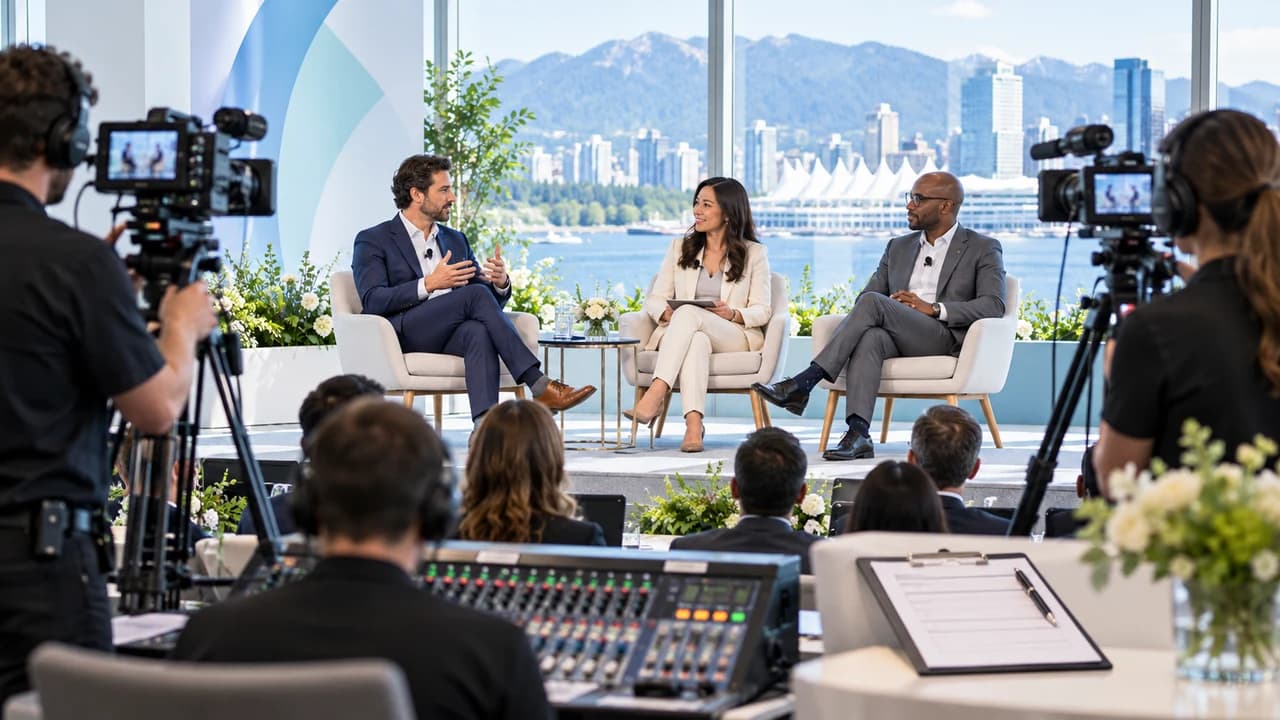
Conference panel video filming Vancouver starts with a brief for camera positions, house audio and consent.
Conference panel video filming Vancouver begins with the intended outputs
Conference panel video filming Vancouver organizers book should begin with a decision about what the recording must become. A full-session archive, a polished program video and a short highlight are different editorial products. The archive prioritizes uninterrupted coverage and intelligible discussion. A polished session may add speaker names, slides and tighter switching. A highlight needs moments that can stand outside the full conversation. Naming the outputs first determines camera coverage, audio recording, permissions, schedule and post-production scope.
Write the session title, date, room, stage layout, scheduled duration and intended audience at the top of a one-page capture brief. Add every expected output with approximate length, aspect ratio, caption language, publishing destination and approval owner. If the panel may be repurposed into short clips, identify whether individual speaker answers can be used separately or only within the complete discussion. Do not assume that permission to appear on stage automatically covers every later campaign use.
Attach the current run of show. Mark doors open, introductions, moderator welcome, panel start, audience questions, closing remarks and any stage reset. Include the actual names and roles of the moderator and speakers, plus a contact who can resolve changes on event day. If timing is still flexible, label it as provisional rather than giving the crew a false fixed schedule.
A professional Vancouver event videographer can then design coverage around the real deliverables instead of treating the session like generic event B-roll. The brief is successful when the organizer, venue AV team and video crew can all see what must be captured continuously, what can be rebuilt in editing and who decides when the program changes.
Map camera positions against seats, sightlines and room rules
Draw a simple room map showing the stage, panel chairs, lectern, projection screen, audience aisles, doors and fixed AV equipment. Place proposed camera positions on that map before the crew arrives. One locked wide camera can protect the complete conversation and cover unexpected speaker changes. A second operated camera can capture clean singles, two-shots and reactions. Larger panels, complex stage blocking or simultaneous audience questions may justify another angle, but camera count should follow the required coverage rather than a formula.
Check each position from the audience perspective. A tripod in the centre aisle may produce a strong angle while blocking access, disturbing guests or violating the venue plan. A side position may avoid traffic but create poor eyelines or put microphones in front of faces. Ask the venue which aisles must remain clear, where platforms are permitted, whether seats can be held for equipment and how early the crew can enter. Record those answers in the brief; do not rely on a floor plan that ignores operating rules.
The map should also show lens obstructions and visual risks: confidence monitors, floral arrangements, banners, water bottles, high tables and the projection screen. If slides matter to the final video, decide whether they will be recorded in camera, received as files or captured from the presentation system. A camera pointed at a bright screen may not preserve both the slide and the speaker well. Receiving the approved deck can be cleaner, but someone must supply the final version and confirm its use.
Plan for predictable movement. Note where speakers enter, where the moderator stands for the opening and where audience microphones will be used. If a panelist joins remotely, mark which screen and loudspeaker carry that person. The camera map becomes a practical handoff: each operator knows the protected shot, the organizer knows what space is reserved, and venue staff can flag a conflict before doors open.
Treat the house audio feed as one source, not the whole audio plan
Panel video succeeds or fails on speech clarity. Ask the venue or AV supplier for the microphone plan: handheld, lavalier, gooseneck or shared microphones; how many channels will be active; who mixes them; and whether audience questions enter the same system. Request the connector type and signal level available to the video team, where the feed can be accessed and when a line test can happen. The person answering should be the actual AV contact, not an assumption passed through several emails.
A house feed is valuable because it receives the microphones close to the speakers, but it may change with the live mix. A technician can mute a channel, ride levels for the room or exclude a question that the audience hears acoustically. Build a backup appropriate to the event: an isolated recorder output when available, a camera scratch track and strategically placed ambience microphones. The backup is not a reason to skip the feed; it protects against one cable, routing or mixing decision becoming the only copy of the discussion.
Add remote contributors, playback videos and interpretation feeds to the audio map. If the panel uses video conferencing, confirm whether the remote voice reaches the supplied output and whether the recording is allowed to include it. If the audience asks questions without a microphone, the room may hear them while the recording does not. The moderator should know to pause until a microphone arrives or briefly restate the question, according to the organizer's plan.
Schedule a test with every microphone type, the actual feed and a brief sample recording before guests enter. Listen through headphones and check the recorded file, not just a meter. Confirm that names, applause and room response sound natural as well as the main voices. The event video pricing guide can help frame coverage options, but audio routing, crew time, recording redundancy and post-production needs must be scoped from the actual room and program.
Assign speaker consent and audience notice to named owners
The capture brief should identify who is responsible for speaker permission, audience notice and any venue or sponsor approvals. The video crew can document what it has been told and flag gaps, but the organizer controls invitations, registration language, speaker agreements and the intended use of the event recording. There is no single consent sentence that fits every conference, employer, association or distribution plan, so use wording reviewed for the actual event and seek qualified advice when needed.
For each panelist, record the name, organization, title, approval contact and permitted uses communicated by the organizer. Clarify whether the agreement covers the full session, edited highlights, standalone social clips, paid promotion, internal use and future reuse. Also confirm whether the speaker will review factual corrections, captions or the whole edit, and set a response deadline. A vague note that all speakers agreed does not tell the editor which uses were actually discussed.
Audience questions create a separate decision. The organizer may provide registration notice, room signage, a designated recorded microphone, an off-camera question area or another process suited to the event. Whatever method is chosen, brief the moderator and room team so audience participation follows it. If someone should not appear, define how that request reaches the camera operators and editor. Avoid promising that a crowded room can be filmed while guaranteeing that no attendee ever enters a frame.
Keep the permission record linked to the session files and final exports. If a short clip is requested months later, the team should be able to check whether that speaker, question and use were covered. Consent is not merely a form collected before filming; it is a boundary that travels with the footage through editing, approval and publication.
Plan the moderator handoff, audience Q&A and production cues
Give the moderator a short production note rather than a technical manual. It should confirm the session start and finish, the opening introduction, how panelists will be identified, how audience questions are handled and who gives the final cue. Ask the moderator to avoid speaking over the first words of an answer and to pause briefly after introducing each person. Those small gaps help editors make clean cuts without changing the conversation.
Decide how names and titles will reach post-production. Collect the approved spelling directly from the organizer or speakers, including accents, credentials and organization names. If name straps will be added, note when titles become final and who signs them off. For bilingual events, specify the displayed language, caption languages and any pronunciation reference. A program PDF can be useful context, but it is not necessarily the final authority if roles change on event day.
Audience Q&A needs its own path. Mark where the microphone runner starts, whether questioners state their names, whether the moderator repeats the question and how much time is reserved. The camera team needs to know whether to show the audience speaker, remain on the panel or capture both. If the final release should omit audience faces, that choice affects camera direction and may make a clean panel response more important.
Create a simple cue chain for delays and changes. Name the organizer who can authorize a late start, shortened Q&A, added speaker or revised ending. Tell the crew how that decision will be communicated in a noisy room. If the panel begins before cameras and recorders are confirmed, a later edit cannot recreate the missing opening. A brief pre-session huddle with the organizer, moderator, venue AV lead and camera lead is often the fastest way to verify the handoff.
Run one preflight check and deliver a traceable session package
Before doors open, use the brief as a preflight sheet. Confirm the current run of show, chair positions, clear sightlines, camera power and media, timecode or synchronization method, white balance, exposure, every microphone, the venue feed, backup audio, slide source, speaker names and the communication channel for changes. Record a short test, play it back and verify that the protected wide shot and primary audio are already running before the formal introduction.
During the session, log useful moments and changes rather than relying on memory. Note the actual start time, speaker substitutions, microphone failures, repeated answers, strong quotes, audience questions and any material the organizer restricts. After the panel, confirm that all files are present before dismantling the only working routing. Label camera and audio media consistently, create backups according to the production plan and retain the session brief with the source files.
The editor should receive the run of show, approved names and titles, slide deck, permission notes, output list and the event-day log. The first review can then check content structure and factual labels before time is spent polishing colour, captions and graphics. Review the full-session version for missing passages and sync; review the highlight for context; and check every standalone clip to ensure a shortened answer does not reverse or exaggerate the speaker's meaning.
For a broader event with multiple rooms, interviews or recap coverage, the same brief can sit inside a larger Vancouver video production plan. To scope one conference panel, contact Steven Video Production with the run of show, room plan, venue AV contact, speaker list, permission process and intended outputs. Those six items reveal most camera, audio, staffing and approval risks before the filming day.
Frequently Asked Questions
How many cameras are needed to film a conference panel?
Two cameras are a practical starting point: one protected wide shot and one operated angle for speakers and reactions. Panel size, room layout, audience questions and required outputs may justify more coverage.
Can the video crew record audio from the venue sound system?
Often yes, but confirm the connector, signal level, access point, operator and test time with the venue AV contact. Use an appropriate backup because the live house mix can change during the session.
Do conference panel speakers need to consent to video recording?
The organizer should document permission for the actual recording and intended uses. Requirements and suitable wording vary, so confirm the event's agreements and obtain qualified advice when necessary.
How should audience questions be recorded?
Plan a recorded microphone or another defined process, brief the moderator and decide whether the questioner appears on camera. Questions heard only in the room may be missing or unclear in the video.
How much does conference panel video filming cost in Vancouver?
Cost depends on session length, camera and audio coverage, venue access, crew, slides, captions, edit complexity, review rounds and whether you need a full session, highlights or social clips.
What should an organizer send before requesting a panel filming quote?
Send the run of show, room plan, venue AV contact, speaker list, permission process, intended outputs, publication channels and deadline so coverage and post-production can be scoped accurately.
Ready to start your project?
Get in touch for a free consultation. I typically respond within a few hours.