
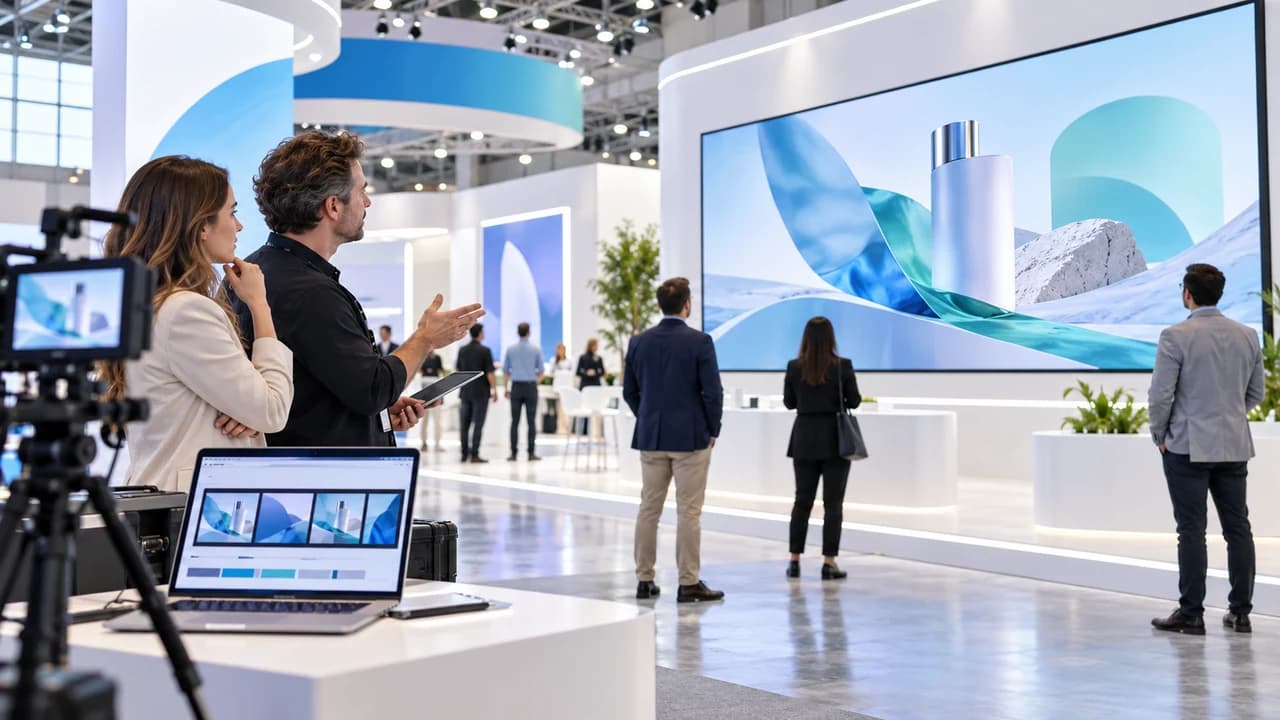
Trade show corporate promo video Vancouver planning starts with a sound-off cut and a booth legibility test.
Trade show corporate promo video Vancouver planning starts with the screen
Trade show corporate promo video Vancouver teams commission should begin with the actual screen and viewing situation, not a generic request for a shorter company film. A booth visitor may first see the display from an aisle while speaking with a colleague, reading signage or moving toward another exhibitor. The video therefore needs to communicate through pictures, sequence and restrained on-screen information before anyone depends on dialogue or music.
Put the screen facts at the top of a one-page playback brief. Record its physical dimensions, native pixel dimensions, orientation, mounting height, media player or computer, accepted file format and whether the venue or exhibit supplier controls playback. Add the expected viewing distances and likely sightlines. These details must come from the equipment owner or current event documentation; do not assume that a file which fills an office television will play correctly on a booth display.
Define one job for the cut. It may introduce the company, demonstrate a product, explain a process or invite a booth conversation. Trying to fit the full brand story, every service and several calls to action into a looping screen usually makes each message harder to notice. Write one sentence describing what a visitor should understand after seeing any complete pass through the loop.
A Vancouver corporate video production team can use that sentence to choose footage and structure the sequence around the exhibit rather than merely removing dialogue from an existing master. The deliverable for this stage is a screen brief with verified playback facts, one audience task and one person responsible for approving the booth version.
Build a visual-first sequence that works without sound
Start by watching the available footage muted. Mark the shots that still make sense without narration: a clear product action, recognizable service moment, before-and-after process, human interaction or close detail. Then place those moments in a simple order such as problem, action, result and invitation. Each shot should advance that sequence through visible information. An attractive office montage may establish tone, but it cannot explain a product function that only exists in the voiceover.
Keep each visual beat long enough to recognize from the expected distance. The right pace depends on the image, display and environment, so test it instead of applying one universal shot length. Wide scenes with several actions may need more time than one clean product close-up. Repeated camera moves and rapid transitions can attract attention on a phone yet become tiring on a large loop that staff and visitors see throughout the day.
If a claim requires words, reduce it to the approved meaning rather than turning a full narration sentence into a paragraph on screen. Pair the statement with footage that supports it. A demonstration should show the actual action; a service statement should use relevant work; a result should not be represented by a generic rising graph unless the underlying figure and visual treatment are approved. Keep a claim owner beside every factual line so the booth cut does not introduce stronger language than the main corporate film.
Sound can remain in the export when the event setup allows it, but it should add atmosphere rather than carry essential meaning. Review the mute version as a complete communication product. If a visitor cannot understand the subject, progression and next step without hearing the track, the sequence is not yet a sound-off cut.
Design text, contact details and QR treatment for viewing distance
Prepare a few representative frames before completing the edit. Include the longest approved statement, the product or subject behind it, and the proposed end frame. Display those frames on the booth screen or a comparable setup, then stand at the nearest and farthest expected viewing points. Ask a reviewer who did not write the copy to state what they can read during the planned screen time. That observation is more useful than judging type on a large editing monitor.
Limit each frame to one main reading task. A headline, supporting sentence, website, phone number, QR code and several badges may all be individually important, but together they compete with the image. Decide whether the screen is asking viewers to understand a message, remember a name or scan an action. The booth itself can carry persistent identity and contact information; the video does not have to duplicate every printed panel in every scene.
Treat a QR code as a functional element, not decoration. Confirm the destination, assign an owner, test the final rendered code from the real display and from the intended distance, and keep sufficient visual separation around it. Also provide a plain-language alternative, such as speaking with the booth team or visiting a short, current page. Network conditions, camera angle, glare and crowding can all affect scanning, so the campaign should not depend on the code as its only route.
Use the end frame deliberately. Give the approved company identity and action enough time to register, then decide how the loop restarts without an awkward flash or repeated audio hit. The final legibility proof should show the frame on the intended display and record the tested distance, file version and destination. This turns subjective feedback such as make it bigger into an acceptance decision the editor can reproduce.
Create a venue playback test instead of trusting the export
The approved edit is not the final proof. Export a file to the exhibit supplier's current specification and test it through the actual playback chain whenever access allows: media player or computer, cable or distribution system and the installed screen. Confirm pixel dimensions, orientation, frame rate, codec, file size limits, colour appearance, looping behaviour and whether the first or final frames are clipped. Record the supplied specification and test result rather than relying on a familiar preset.
Check the environment as well as the file. Booth lighting can reduce contrast, glossy screens can reflect aisle traffic and a high-mounted display can change the useful safe area. Stand where visitors will stand, then walk the approach path. Look for text hidden by products, staff or structural elements. If the screen is split, unusually wide or partly blocked, the edit may need a custom layout rather than a centred 16:9 composition.
Run the full loop several times. Watch for a pause, player controls, a visible desktop, a black frame, an audio restart or a moment that makes the sequence appear broken. Confirm what happens after power loss or system restart and who can restore playback during show hours. Prepare a tested backup on the media and in the format accepted by the operator, but follow the venue's device and security rules instead of connecting an unapproved drive or laptop.
An event videographer in Vancouver can also document the booth, audience interaction or presentations when those outputs are part of the event plan. Keep that coverage scope separate from the screen-file test: filming the event does not prove that the promo loop is technically ready, and a working loop does not define what the event crew should capture.
Assign approvals and prepare an operator handoff
Separate message approval from technical approval. The marketing owner confirms the audience, claims, brand treatment and call to action. The product or subject owner checks demonstrations and factual language. The exhibit or venue contact confirms the screen and playback requirements. The video producer checks the visual sequence, exports and quality. One named project owner resolves conflicts and identifies the version cleared for use.
Use version names that communicate status and destination. Include the event or booth identifier, screen orientation, language, sound-off status and revision number. Store the approved master, the playback copy and any alternate format in a small handoff folder with a still reference image. Avoid sending several files called final because an operator under setup pressure may choose the wrong one without opening each version.
Write a short operator note. It should state which file to play, where it belongs, whether audio should be muted, how the loop is expected to behave, the approved screen or zone, the backup file, and whom to contact if playback differs from the proof. Add the verified QR or contact destination and the time of the last test. Do not include passwords or sensitive access details in a broadly shared document.
Plan language versions as distinct outputs. A bilingual audience may be served by one carefully designed bilingual cut, alternating language loops or separate screens, depending on viewing time and booth operation. Confirm how visitors will encounter each version rather than doubling every line until neither is readable. Every public file needs the same facts, rights, brand and technical checks before it enters the handoff package.
Use one acceptance sheet from brief to show floor
The final acceptance sheet should be short enough to use during setup. List the display and player, approved file, loop duration, sound setting, primary message, required visual beats, text and contact destination, QR test, viewing-distance result, technical test, backup location and named owners. Attach one image of the correct end frame so the booth team can recognize the approved version immediately.
Review the cut in three passes. First, watch it muted for message: can a new viewer identify the subject, follow the sequence and understand the next step? Second, inspect facts and rights: are the product, people, locations, claims, logos, music and footage cleared for this event and its planned recording or social reuse? Third, test playback: does the exact delivered file fill the intended screen, remain legible, loop cleanly and recover through the approved process?
Keep the scope honest when reusing an existing corporate film. Some footage can be reorganized into an effective booth cut; other masters rely so heavily on interviews or horizontal compositions that a few pickup shots, motion graphics or a new edit structure are needed. Identify that gap before promising a quick resize. The screen version should be quoted according to its actual editorial, design, testing and delivery work.
To plan a sound-off trade-show promo, contact Steven Video Production with the event date, booth or exhibit plan, screen specification, current corporate footage, approved message, language needs and playback contact. Those inputs are enough to assess whether the existing material can support the loop and to define the exact test artifact that must be approved before the show opens.
Frequently Asked Questions
How long should a trade-show promo video loop be?
There is no universal duration. Base it on the message, footage, visitor dwell time and how quickly the sequence can be understood from different entry points, then test repeated playback at the booth.
Should a trade-show booth video work without sound?
Usually the essential message should remain clear when muted because venue noise and booth operation may make audio unavailable or ineffective. Sound can still add atmosphere when permitted.
What screen details does a video producer need before editing?
Provide physical and pixel dimensions, orientation, mounting height, media player, accepted format, file limits, playback ownership, viewing distances and the time available for an installed test.
Can an existing corporate video be reused on a trade-show screen?
Often, but assess whether its key ideas remain clear without dialogue, whether footage suits the screen and whether text, pacing, CTA and loop behaviour need a purpose-built edit.
How should a QR code be tested on a booth video?
Test the final rendered code on the actual display from intended distances and angles, verify the live destination, assign an owner and provide a non-QR alternative.
How much does a trade-show corporate promo video cost in Vancouver?
Cost depends on existing footage, new filming, motion graphics, languages, screen formats, rights review, revision rounds, playback testing and whether event coverage is also required.
Ready to start your project?
Get in touch for a free consultation. I typically respond within a few hours.