
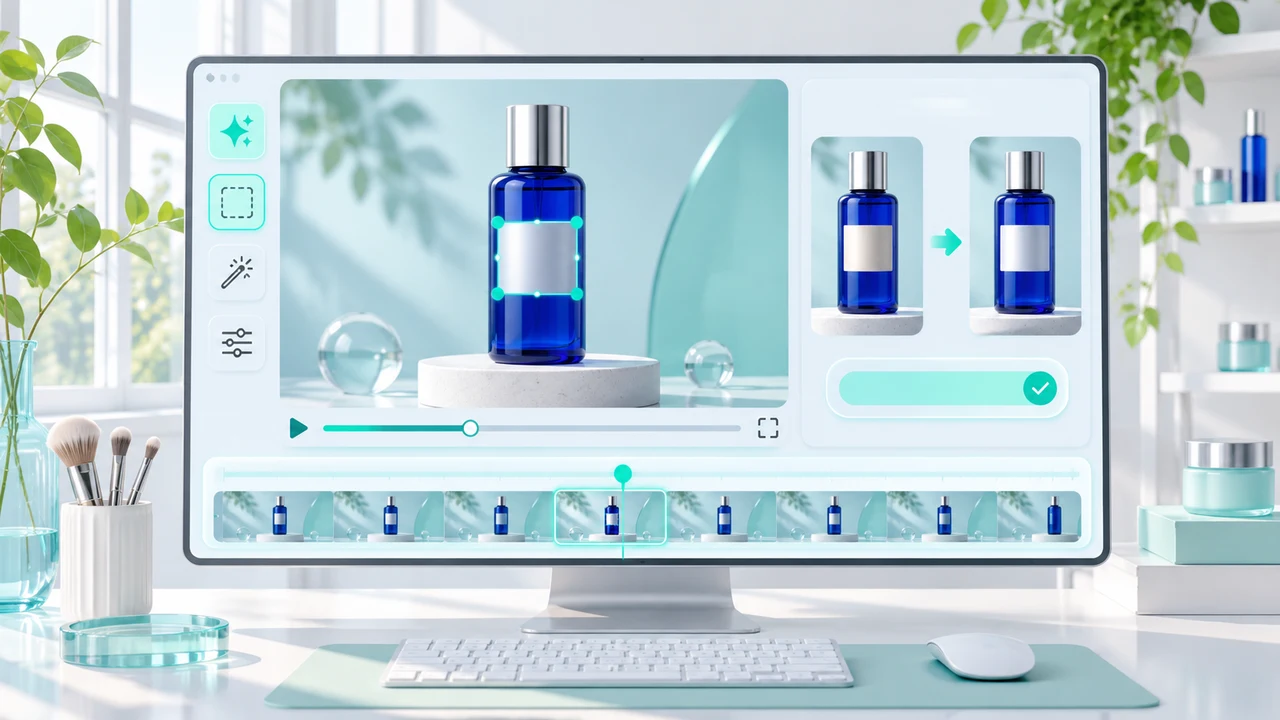
Seedance 2.5 Edit tutorial: fix one product detail without rebuilding an approved brand video.
What this Seedance 2.5 Edit tutorial will deliver
Seedance 2.5 Edit tutorial readers will take one rights-cleared 10-second product shot, isolate a single incorrect bottle-label region, request one bounded correction, and export a review candidate without intentionally redesigning the approved camera move, lighting, timing, or sound. The measurable result is not a magically perfect commercial. It is a source-versus-edit comparison package with the original clip, a marked reference frame, the exact instruction, a downloaded candidate, and a frame-by-frame QA record. If the label cannot be restored accurately, the workflow stops and hands the shot to compositing rather than publishing an invented package.
ByteDance Seed's official Seedance 2.5 launch, dated July 31, documents timestamp-level editing and targeted changes while maintaining continuity around the edited interval. Volcengine's official Seedance 2.5 prompt guide, updated November 24 and checked November 25, distinguishes full video editing from ordinary reference generation. Higgsfield's current Seedance help page, undated and checked November 25, exposes a creator route: Video, choose Seedance 2.5 Edit, mark the area to change, and describe the correction. Those are documented vendor capabilities; no generation was run for this article, and vendor examples are not presented as StevenVideo results.
This is materially different from our earlier broad Seedance guides and the four-beat sports commercial tutorial. The task starts after a clip already works and asks whether one defect can be repaired without losing the approved shot. For a supervised campaign that combines generation, compositing, sound, and client review, see AI video production in Vancouver.
Prepare a bounded source clip and correction brief
Use a clip that you own or have explicit permission to upload. Keep the untouched master outside the platform, then make a review copy. The current Higgsfield help table describes Seedance 2.5 Edit as a separate model that accepts existing clips at 480p to 720p and matches the source duration. Volcengine's current tutorial documents a 4–30 second input range for video-editing tasks, keeps output ratio adaptive, and keeps duration aligned to the source rather than accepting a new duration. Hosting products can expose different limits, so read the selected model's live controls before submission.
For this exercise, use a 10-second 16:9 tabletop shot with one approved cobalt-blue bottle, a slow push-in, stable pale background, and clean ambience. The only defect is one incorrect temporary word on the front label. Before upload, export a still from a clear frame and create a correction brief with four columns: must change (the marked label area), must not change (bottle silhouette, cap, reflections, hands, background, camera path, duration, and audio), truth source (the approved packaging artwork), and fallback (track and composite the real label in an editor). Do not ask the model to infer regulatory text, ingredients, prices, certifications, or legal claims.
Save the source filename and checksum, dimensions, frame rate, duration, audio channels, colour space if known, and the time range where the label is visible. Record a few comparison frames before editing. Small type that rotates, blurs, catches glare, or crosses a hand is a demanding tracking problem; a single clean frame does not prove that the correction holds through motion. If the package fact must be exact, treat AI output as a candidate plate, not final artwork. A budget decision should include selection, retries, compositing, QA, and approvals—not only credits; the AI video quote calculator can frame that wider production scope.
Use the documented Seedance 2.5 Edit route
Sign in to Higgsfield, open Video, and confirm that Seedance 2.5 Edit appears in the model picker. The current help page says standard Seedance 2.5 is available on Pro and Plus plans and above; it does not publish a separate universal entitlement or credit figure for every Edit job. Higgsfield's official November 2026 workflow article lists base-generation examples from 30 credits for 10 seconds at 480p to 160 credits at 1080p, but that table does not establish the cost of this region edit. Read the amount shown on the live Generate button and the plan terms before submitting. The checked pages state no Canada-specific restriction, but account, region, rollout, and plan can change.
Upload the approved review copy, select or mark only the wrong label region on a representative frame, and use one narrow instruction. Copy this original prompt: Edit the marked front-label region only. Replace the temporary word with the approved simple white brand mark from the provided reference. Preserve the cobalt-blue bottle shape, cap, reflections, label size and position, hand movement, pale studio background, slow push-in, lighting, duration, and existing audio. Do not add any other text, logo, object, camera movement, cut, music, or sound effect. If the interface accepts an approved reference image for the correction, attach the clean artwork or package view that you have rights to use; do not upload a competitor's label or confidential unreleased design without approval.
Before generating, capture the actual model name, selected region, source thumbnail, displayed cost, and prompt in the generation log. If the interface does not expose a marking control, a separate Edit model, or an input route matching the documentation, stop rather than pretending a normal prompt is localized editing. Dreamina also has an official localized-editing guide, undated and checked November 25, but its public steps are less specific; use the controls actually present in your account.
Diagnose the edit before spending another attempt
Review the full candidate at normal speed first, then compare source and edit side by side. Classify the result before changing anything. Correct region, wrong content: the mask tracked but the mark is misspelled or redesigned; shorten the instruction and provide a cleaner approved reference. Region leak: colour or texture spreads into the bottle, hand, or background; reduce the marked area and explicitly preserve neighbouring surfaces. Temporal drift: the label looks right in one frame but swims, stretches, or disappears during the push-in; use a simpler source, reduce occlusion, or move to planar tracking and compositing. Global change: lighting, camera, timing, audio, or the whole package changes; reject it because the edit failed its bounded scope.
Change one variable per attempt. Keep the original source and first candidate, then note whether you changed the mask, reference, or wording. Do not quietly accept a prettier bottle that is the wrong product. Set a stop rule before spending credits: one base attempt, one tighter-region revision, then the compositing fallback. A full re-render can destroy the camera move and sound that were already approved, while repeated local attempts can still create inconsistent small text.
The Volcengine prompt guide updated November 24 says Seedance 2.5 responds to integer-second timestamps, while Seedance 2.0 responds to shot numbers rather than timestamps. That can help when the actual hosting route exposes time-bounded instructions, but do not invent a timestamp field that the Higgsfield UI does not show. A practical note such as apply this correction only while the front label is visible from 2s to 8s belongs in the prompt only if the selected model documents and accepts it. Interface controls and model-level capability are separate facts.
Export, run frame-by-frame QA, and choose the honest fallback
Download the candidate and inspect the local file. Do not approve from a browser thumbnail. Compare at least the opening frame, the first clear label frame, the closest camera position, any hand or reflection crossing, the final clear label frame, and the end frame. Then scrub every frame through the edited interval. Run six checks: identity—the same bottle, cap, label geometry, and approved mark; tracking—no sliding, stretching, shimmer, or frame pop; spill—no repainting of fingers, reflections, table, or background; picture—camera path, exposure, colour, and focus remain acceptable; audio—dialogue, ambience, effects, duration, and sync are unchanged unless explicitly approved; file—expected dimensions, duration, frame rate, channels, playback, and no unwanted watermark.
Place the edit over the source at 50% opacity or use a difference view in an editor. Movement outside the intended region is a warning even when the final frame looks attractive. Verify the package against the approved artwork at delivery size, not only enlarged on a monitor. AI-generated small text is not a substitute for a legally correct label. If fidelity matters, track the bottle surface and composite the real vector or raster artwork; this is often more predictable and easier to approve. Keep native audio on a separate timeline track when possible so an image correction cannot silently replace a client-approved mix.
Archive the source, approved artwork, mask screenshot, prompt, model and plan shown, displayed credit estimate, output, comparison frames, rejection notes, final master, and stakeholder approval. The value of region editing is preserving what already works, not avoiding professional finishing. If the clip needs exact packaging, multiple language versions, colour-managed delivery, or client sign-off, contact Steven Video Production with the source duration, intended platform, approved artwork, deadline, and whether a clean plate exists. That information determines whether Seedance Edit, compositing, or a reshoot is the safest route.
Frequently Asked Questions
What is Seedance 2.5 Edit?
It is a separate editing route documented for changing an existing clip, including region-level corrections. Hosting interfaces, plan access, resolution, and controls vary, so confirm the selected model and live settings.
Can Seedance 2.5 Edit fix a product label without changing the whole video?
That is a documented use case, but it is not guaranteed. Mark only the required region, preserve the source, and reject any change to the bottle, camera, lighting, timing, or audio. Use tracked compositing when label accuracy is mandatory.
How long can a Seedance 2.5 Edit source clip be?
Volcengine currently documents 4–30 seconds for video-editing inputs. Higgsfield says the Edit output matches the source duration. Check the live hosting interface because limits can differ.
How much does a Seedance 2.5 region edit cost?
The checked public help pages do not establish one universal region-edit price. Higgsfield shows the exact credit amount on the Generate button; record that signed-in quote before submitting.
Did StevenVideo test this Seedance 2.5 Edit workflow?
No. This article documents current official sources and a reviewable production method. It does not present vendor samples or unrun generations as StevenVideo results.
Ready to start your project?
Get in touch for a free consultation. I typically respond within a few hours.