
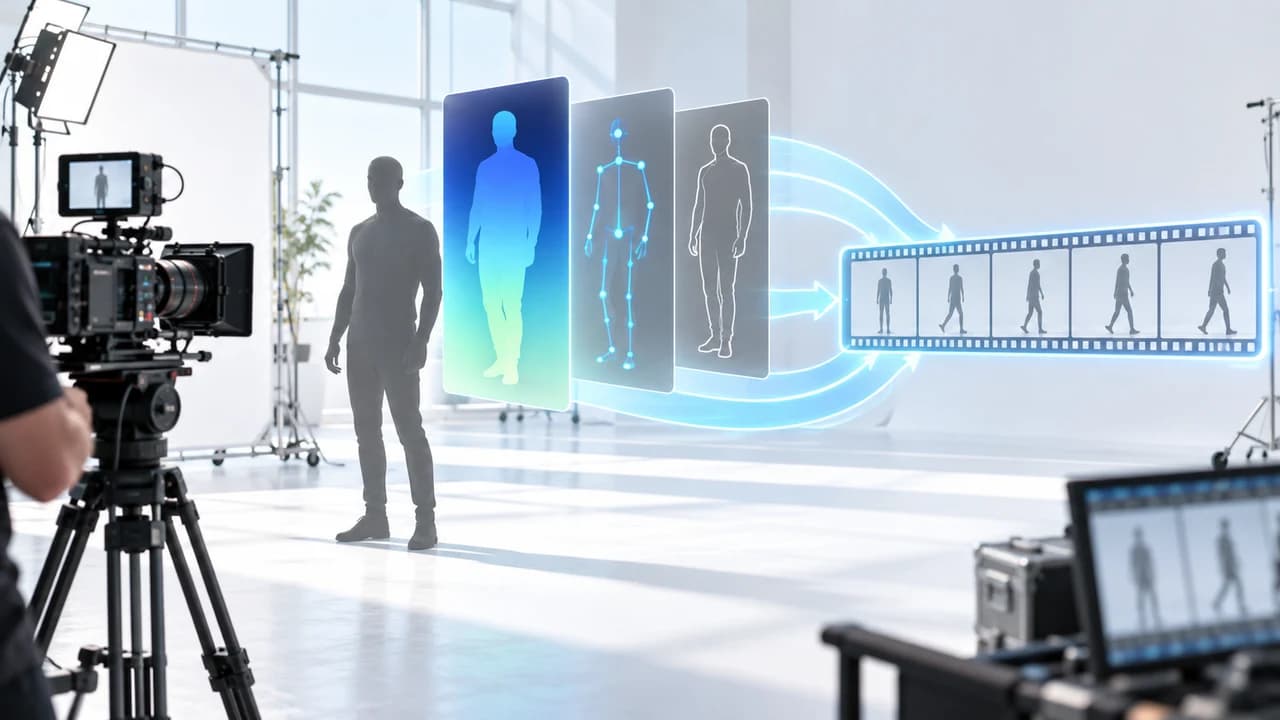
ReShot AI video workflow turns reference footage into structural controls for safer shot recreation.
What the ReShot AI video workflow transfers
ReShot AI video workflow is a new open-source approach for extracting the structure of a reference shot without treating the original performer as the thing to copy. According to the ReShot repository highlighted in the September 14 AI news brief, the workflow converts source video into depth maps, OpenPose guidance, or Canny edge maps. Those controls can then be supplied as references in workflows involving Seedance, MiniMax H3, or Wan VACE. The repository was created on September 11 and was still an early project when the brief was compiled, so it should be evaluated as a practical experiment rather than a mature production standard.
The distinction between structure and identity matters. A reference clip may be useful because of its camera path, body blocking, silhouette, timing, or relationship between foreground and background. None of those creative questions require reproducing the original actor's face. Converting the clip into an abstract control layer gives a production team a cleaner way to discuss what it actually wants from the reference. The depth pass describes spatial relationships, a pose pass describes body placement, and an edge pass emphasizes visible contours.
This does not make the output automatically original, licensed, or ready for a client. Shot design, choreography, costumes, locations, trademarks, and recognizable people can still create rights or brand concerns. The useful shift is procedural: instead of uploading a reference and asking a model to imitate everything, the team identifies a limited structural attribute, tests it, and reviews the result. For commercial work, that narrower request is easier to explain, compare, and revise. It also fits a professional AI video production workflow in Vancouver, where generated footage is one controlled layer rather than an untraceable shortcut.
Depth, pose, or edges: choose the control that matches the shot
The three control types mentioned by ReShot answer different production questions. A depth map is useful when the important feature is spatial: a subject approaches the lens, the camera reveals a room, or foreground objects move differently from the background. It reduces the reference to relative distance rather than preserving surface appearance. That can help a team pursue the same sense of dimensional movement while replacing the performer, wardrobe, set, and art direction.
OpenPose-style guidance is more appropriate when body blocking drives the shot. It can represent where major joints and limbs appear over time, which makes it easier to test a new character performing a comparable gesture or movement path. However, a skeleton is not performance. Facial expression, balance, cloth motion, hand contact, weight, and timing still need close review. If a pose-conditioned result creates unstable anatomy or changes the intended action, the control has not solved the shot simply because the broad silhouette matches.
Canny edges emphasize visible boundaries. They can be helpful when composition depends on a strong outline, architectural geometry, a product silhouette, or a clear division between foreground and background. They can also preserve too much accidental detail if the source frame is busy. Before processing an entire clip, test a few representative frames and ask whether the control isolates the idea you need or merely creates another complicated reference.
A practical rule is to use the least restrictive control that preserves the creative requirement. If only camera depth matters, do not carry detailed edges. If the human gesture matters, do not expect depth alone to define it. If a branded product must remain exact, generated structural guidance is not a substitute for verified photography. Label each test by source, control type, settings, and output so reviewers can compare decisions rather than judging a folder of anonymous generations.
A reviewable workflow from reference clip to approved shot
Start with a reference audit before touching a model. Record where the clip came from, whether the team has permission to use it in production, what precise feature is being referenced, and what must not carry into the output. A client-supplied clip, licensed stock shot, internal rehearsal, or newly filmed blocking test gives the team a clearer foundation than an unattributed social video. Write the intended transfer in one sentence, such as: preserve the slow forward camera move and subject timing, but replace identity, environment, styling, and story context.
Next, trim a short representative segment. Long clips introduce more opportunities for drift, inconsistent anatomy, and wasted generation. Produce the depth, pose, or edge representation that corresponds to the approved requirement, then inspect that control on its own. If a pose track jumps, a depth map merges the subject with the wall, or edges flicker around detailed textures, correct or simplify the source before paying to generate more versions.
Generate a low-cost test and compare it against a written checklist. Does the camera relationship remain understandable? Is the new subject consistent? Do hands, feet, props, reflections, and contact points behave? Has any recognizable identity, logo, location, or copyrighted graphic leaked through? Review the clip frame by frame as well as at normal speed. Motion can hide defects that become obvious when a paid advertisement is paused or cut into short social clips.
Only after a test passes should the team finish it. Compositing, cleanup, colour, sound design, captions, and channel exports remain human production tasks. Keep the original source, extracted controls, prompts, model outputs, licences, and approvals together in the project archive. That record allows an editor to reproduce a successful decision and gives a client a clear explanation of how the image was made. It also prevents the approved shot from being confused with rejected experiments later.
Where structural transfer can help commercial video
Structural transfer is most useful when a team knows the motion it wants but needs to explore a different visual world. A director can film a simple blocking rehearsal with a phone, extract the useful movement, and test characters, environments, or art directions before committing to a larger shoot. A product marketer can study a camera reveal using a generic stand-in while keeping the final pack shot real. A social team can prototype a repeatable body movement without asking every contributor to match a reference performer exactly.
Previsualization is the lowest-risk use. The output can answer whether a camera move, rhythm, or transition supports the message before the client pays for a location, talent, and crew. It can also make feedback more specific. Instead of saying that a storyboard needs more energy, a reviewer can approve the pace of a structural test while rejecting its art direction. That separation reduces expensive misunderstandings.
Generated final shots require a higher standard. If the scene includes a real product, spokesperson, property, medical action, safety procedure, or measurable result, the viewer may interpret it as evidence. Structural similarity does not guarantee factual accuracy. Use real footage wherever identity, material, operation, location, or performance must be trusted. AI can support concept shots, transitions, stylized environments, and visual metaphors, but it should not quietly invent what a customer is buying.
The same restraint applies to creative references. Copying a camera pattern is not a universal exemption from copyright, publicity, trademark, or contract obligations. Avoid using a recognizable performer as an identity reference without permission, and do not promise that abstraction removes every legal risk. For consequential campaigns, obtain appropriate legal review. A strong production brief names the legitimate reference source, the limited structural idea, the elements that must change, and the human responsible for final approval.
Why live-action capture still belongs in an AI shot pipeline
A camera can create the safest source for structural transfer. Rather than reverse-engineering someone else's finished work, a production team can record its own movement rehearsal, dolly path, actor blocking, or product interaction. The footage does not need final wardrobe, lighting, or set design if its role is to generate a control map. It only needs clear motion, enough contrast, and the correct timing. That gives the project a traceable source and lets the director adjust the performance before generation begins.
Real capture also supplies the proof that AI footage cannot reliably invent. Accurate product details, a genuine interview, the layout of a property, and an event that actually happened should be documented with a camera. Generated shots can then extend an environment, visualize an idea, or bridge two verified moments. This hybrid arrangement is often stronger than choosing between fully generated and fully filmed production, because each method handles the task where it is easiest to review.
For a Vancouver business campaign, the production plan might include a half-day rehearsal and proof shoot, several structural AI tests, then a focused final shoot for people, products, dialogue, and brand-critical details. The approved generated elements enter the edit beside the real footage, followed by one colour and sound finish. The result should feel like one film, not a technology demonstration interrupted by conventional shots.
That integration requires cinematography decisions early. Lens perspective, camera height, subject scale, direction of light, shutter character, and frame rate all affect whether generated and filmed material can be cut together. Corporate video production in Vancouver provides the real interviews, environments, and product evidence that anchor the story. AI controls are useful when they expand a defined concept; they are not a reason to skip the planning that makes the final edit coherent.
How to brief and budget a ReShot test
Treat a ReShot test as a bounded research task, not an unlimited promise to reproduce any clip. The brief should name the reference source, selected time range, one structural goal, chosen control type, replacement subject or environment, output length, aspect ratio, target model workflow, and pass-or-fail criteria. State what must be real and what may be generated. Assign one approval owner who can decide whether the motion supports the campaign rather than asking the production team to chase every possible variation.
Budget separately for reference preparation, control extraction, generation attempts, cleanup, and finishing. Open-source software does not make the whole process free. Compute, operator time, rejected outputs, compositing, sound, colour, licences, and review rounds all remain costs. A small paid test is often more responsible than quoting a final campaign from a repository description. It reveals whether the chosen source and control method produce stable results on the project's actual subject matter.
Ask to see both the structural control and the output. Reviewers should know what was intentionally transferred and be able to compare it with the final frame. Confirm that faces, body motion, products, text, logos, and locations meet the same accuracy and permission standards as live-action footage. If the test fails, the right response may be a simpler control, a new rehearsal clip, a conventional VFX approach, or a real shoot—not endless generations.
The September 14 brief gives ReShot a useful early signal, but its 21 GitHub stars and recent creation date are not evidence of production reliability. Test it on a non-critical shot before depending on it for a deadline. If you have a reference sequence and want to decide whether depth, pose, edges, practical filming, or a hybrid approach makes sense, contact Steven Video Production. Send the clip, intended use, deadline, and rights status; the first decision should be what the campaign needs to preserve, not which tool happens to be new.
Frequently Asked Questions
What is the ReShot AI video workflow?
ReShot is an early open-source workflow that converts reference video into depth, OpenPose, or Canny controls for use in supported AI video pipelines. Its purpose is to isolate shot structure rather than directly copy the original actor.
Can ReShot copy camera movement without copying a person?
It can help isolate spatial, pose, or edge information, but every output still needs identity, rights, and frame-by-frame review. Abstraction reduces what is transferred; it does not guarantee originality or legal clearance.
Which ReShot control should I use: depth, OpenPose, or Canny?
Use depth for spatial relationships, pose for body blocking, and Canny for strong contours or composition. Test a short segment first and choose the least restrictive control that preserves the approved idea.
Does an open-source AI video workflow make production free?
No. Compute, operator time, failed generations, cleanup, compositing, sound, colour, licensing, review, and delivery still require budget. Price a bounded test before committing a critical campaign shot.
Should commercial brands use ReShot for final advertising?
Begin with previsualization or a non-critical concept shot. Use real footage for claims, products, people, locations, and actions that viewers must trust, and obtain appropriate rights or legal review where needed.
Ready to start your project?
Get in touch for a free consultation. I typically respond within a few hours.