
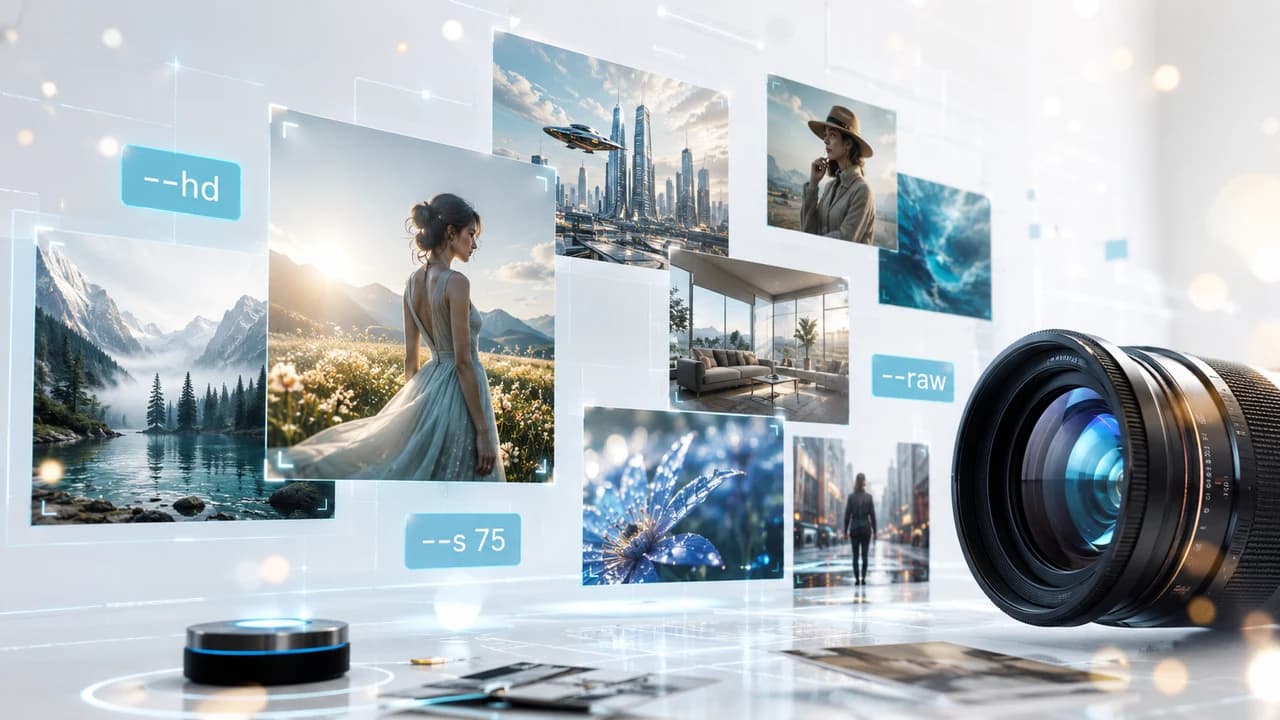
Midjourney V8.1 became the default model on June 10, 2026 — bringing 4-5x faster rendering, native 2K output via --hd, and significantly better prompt fidelity. This guide covers every key parameter, a proven 6-element prompt formula, and 20 ready-to-use templates for commercial photography, real estate marketing, and corporate video pre-production in Vancouver.
Midjourney V8.1 Is Now the Default — What Actually Changed
As of June 10, 2026, Midjourney V8.1 is the new default model for all new generations. If you've opened Midjourney since that date, your prompts are already running on V8.1 — no settings change needed.
The improvements over V8 are real and practically significant. Speed is 4-5x faster across most prompt types: iterating through 10-15 prompt variations to find the right composition or lighting, something that used to eat an hour, now takes minutes. That alone changes how you can realistically use Midjourney as a pre-production tool.
The headline feature is native 2K output via --hd. Unlike previous upscaling, --hd makes V8.1 generate at 2048px resolution natively — higher-resolution data is in the image from the start, not stretched from a smaller output. For website hero images, pitch deck visuals, and video storyboard frames that will appear at large scale, this is a meaningful quality difference.
Prompt fidelity has also improved significantly. V8.1 handles complex, multi-element prompts without the detail-dropping that plagued longer V8 prompts — specific composition instructions, lighting setups, and color palette requirements are all maintained more consistently across generations.
One more addition worth flagging for commercial work: --raw mode. By default, V8.1 adds a layer of AI aesthetic polish to every image — smoother skin, slightly enhanced colors, a subtle cinematic quality. For artistic work this is fine. For real estate interiors, product shots, and corporate portraits where you need a neutral, accurate representation, --raw turns that polish off and gives you something much closer to what your prompt literally describes.
The Core V8.1 Parameters You Need to Know
Understanding these parameters is what separates V8.1 power users from people who type descriptions and hope. You don't need all of them — but the right combination for commercial work is worth learning once.
--hd enables native 2K (2048px) output. Expect roughly 1.5-2x longer generation time versus standard, but the improvement in fine detail — fabric texture, architectural surfaces, skin and hair — is meaningful at large display sizes. Use for any image that will appear bigger than 800px in your final output.
--raw disables Midjourney's default AI beautification layer. The default V8.1 behavior adds aesthetic polish that works well for art prompts but creates an "AI look" in commercial contexts. --raw produces a more neutral, literal interpretation. Best combined with low --s values for maximum accuracy.
--s (stylize) controls how much creative interpretation V8.1 applies beyond your literal description. Range is 0-1000: 0-75 for commercial accuracy and literal results; 100-300 for balanced creative work; 400+ for artistic projects. Default is around 100. For commercial photography, staying under 100 and adding --raw is the reliable pattern.
--ar sets aspect ratio. --ar 16:9 for widescreen and video pre-production; --ar 4:3 for traditional photography; --ar 1:1 for social media squares; --ar 9:16 for vertical content (Instagram Stories, TikTok, Reels).
For commercial photography and video pre-production, the go-to combination is --ar 16:9 --s 75 --hd --raw for widescreen images where accuracy matters, or --ar 4:5 --s 75 --hd --raw for portrait-format content.
The 6-Element Prompt Formula for Commercial Results
The most reliable commercial results in Midjourney V8.1 come from structured prompts. V8.1 handles conversational descriptions well enough, but for professional work where consistency matters across iterations, a structured format consistently outperforms freeform descriptions.
The Formula: [Subject + Pose/Action] [Style/Medium] [Camera + Composition] [Lighting] [Mood + Color Palette] [Technical Parameters]
Example 1 — Corporate Portrait: "Vancouver business executive, confident standing pose at floor-to-ceiling windows, professional corporate portrait photography, Sony A7R V 85mm f/1.8, medium shot eye-level with soft background separation, natural side lighting from large windows, polished and authoritative mood, slate and charcoal tones --ar 4:5 --s 75 --hd --raw"
Example 2 — Real Estate Interior: "Contemporary open-plan living room, luxury Vancouver condo staged with minimal Scandinavian furniture, architectural photography editorial style, wide-angle 16mm rectilinear, three-point perspective composition, afternoon golden hour light through floor-to-ceiling windows, bright aspirational mood, white and warm beige palette --ar 16:9 --s 50 --hd --raw"
Example 3 — Event Photography: "Technology conference keynote speaker on main stage, audience of 500 in modern Vancouver convention center, documentary editorial photography, Canon 70-200mm telephoto from audience level, wide establishing shot, dramatic theatrical spotlight from above on speaker, energy and anticipation atmosphere, deep blue and white tones --ar 16:9 --s 100 --hd"
The technical parameters at the end act as a mixing board for the creative layers before them. Lower --s plus --raw keeps V8.1 close to your literal description. Higher --s and no --raw gives V8.1 more creative latitude — useful for mood boards, but less useful when you need to communicate a specific visual direction to a client.
20 Ready-to-Use Midjourney V8.1 Prompt Templates
These prompts are optimized for V8.1 and ready to paste directly. Swap the location, subject, and style references to match your specific project.
Corporate & Professional
"Diverse tech startup team collaborating at large whiteboard, open-plan Vancouver office, corporate photography, 35mm wide-angle, eye-level group wide shot, bright indirect daylight from skylights, energetic and collaborative mood, blue and white tones --ar 16:9 --s 75 --hd --raw"
"Female entrepreneur presenting business proposal, modern boardroom glass walls with city skyline view, editorial portrait photography, 85mm, medium shot, dramatic backlight from floor windows, confident and dynamic mood, muted navy and warm gold --ar 4:5 --s 75 --hd --raw"
"Premium skincare product bottle on marble surface with light reflections, product photography, macro lens close-up, soft diffused studio light overhead, clean minimal mood, white and rose gold palette --ar 1:1 --s 50 --hd --raw"
"Healthcare professional in modern clinic consultation room, doctor in white coat at desk with patient, editorial portrait photography, 35mm, medium two-shot, soft window light from left, warm and professional mood --ar 16:9 --s 75 --hd --raw"
Real Estate & Architecture
"Luxury high-rise condo living room with panoramic mountain and ocean views, Vancouver interior photography, tilt-shift wide-angle, symmetrical three-point perspective, golden hour natural light through full-height glazing, calm and aspirational mood, neutral white and warm gray --ar 16:9 --s 50 --hd --raw"
"Modern gourmet kitchen white cabinetry quartz waterfall island stainless appliances, real estate staging photography, rectilinear wide-angle, symmetrical frontal composition, bright even overhead lighting, clean airy mood --ar 4:3 --s 30 --hd --raw"
"Luxury townhouse exterior landscaped front garden stone driveway, architectural photography, wide-angle slight low-angle upward shot, soft overcast diffused lighting, aspirational neighborhood mood, green and warm stone tones --ar 16:9 --s 75 --hd"
"Master bedroom suite floor-to-ceiling curtains reading nook window seat, luxury residential staging, editorial interior photography, 24mm wide, diagonal composition, soft morning diffused light, calm sanctuary mood, linen white and soft blue --ar 16:9 --s 50 --hd --raw"
Events & Occasions
"Elegant outdoor garden wedding reception at golden hour, round tables white linen flickering candles string lights in trees, photojournalistic style, 50mm f/1.4, wide candid establishing shot, warm golden backlight, romantic intimate mood --ar 16:9 --s 200 --hd"
"Corporate gala dinner Vancouver upscale ballroom, guests cocktail attire networking around round tables, event photography editorial, medium telephoto, wide establishing crowd shot, warm amber chandelier lighting and blue uplighting, sophisticated celebratory atmosphere --ar 16:9 --s 100 --hd"
"Film festival red carpet Vancouver, celebrities and guests arriving with photographers, entertainment editorial photography, 85mm telephoto, wide documentary shot, bright studio strobe flashes and ambient lighting, glamorous high-energy mood --ar 16:9 --s 150 --hd"
Lifestyle & Brand
"Young local coffee shop owner serving espresso to customer, warm Vancouver café interior exposed brick and plants, documentary lifestyle photography, 35mm, eye-level candid medium shot, warm morning window light, authentic community mood, amber and cream tones --ar 4:5 --s 100 --hd --raw"
"Drone operator piloting DJI drone over urban Vancouver rooftop, professional aerial videographer setup, documentary photography, 85mm, three-quarter medium shot, clear afternoon sky, technical and professional mood, blue and gray tones --ar 16:9 --s 75 --hd --raw"
"Family of four picnicking in Stanley Park Vancouver, lifestyle photography for real estate marketing, 85mm f/1.8, wide candid documentary shot, soft afternoon side light through tree canopy, warm and joyful mood, muted green and earth tones --ar 16:9 --s 200 --hd"
Abstract & Concept
"AI technology concept for corporate presentation, abstract neural network data visualization, glowing blue data streams and node connections, professional tech editorial illustration, centered symmetrical composition, gradient blue and cyan tones, futuristic innovative mood --ar 16:9 --s 500 --hd"
"Sustainable green energy concept for corporate ESG report, wind turbines and solar panels in British Columbia landscape, aerial editorial photography, wide environmental shot, soft even overcast light, hopeful and responsible mood, muted green and sky blue --ar 16:9 --s 300 --hd"
"Financial growth abstract visualization for business presentation, upward trending geometric shapes, professional corporate illustration, blue gradient background, clean minimal design, confident and optimistic mood --ar 16:9 --s 600 --hd"
"Real estate development concept visualization, modern mixed-use building rendering Vancouver waterfront, architectural CGI photography style, eye-level exterior wide shot, golden hour warm lighting from west, aspirational and modern mood, glass steel and warm wood tones --ar 16:9 --s 300 --hd"
"Corporate team success concept, diverse business professionals silhouettes against city skyline at sunset, editorial lifestyle photography, wide shot, dramatic backlit golden hour, ambitious and unified mood, warm orange and dark tones --ar 16:9 --s 400 --hd"
"Chinese-Canadian community celebration concept, multi-generational family at festive outdoor event Vancouver, warm documentary photography, 35mm, wide candid group shot, soft golden afternoon light, joyful and inclusive mood, warm vibrant tones --ar 16:9 --s 200 --hd"
Using Midjourney V8.1 for Commercial Pre-Production in Vancouver
For professional videographers and photographers, Midjourney V8.1 earns its place as a pre-production tool — not replacing shoots, but making client communication faster and proposals more persuasive.
Pre-Shoot Storyboarding Generate 8-12 frames showing the visual direction of a project before any equipment is packed. For corporate video production clients, this turns the briefing from "we want something modern and professional" into a concrete visual conversation. Misalignments surface in the planning meeting, not on location during a billable shoot day.
Proposal Mood Boards A real estate video pitch for a luxury listing lands better with 5-6 V8.1 reference frames showing the exact lighting, color grade, and compositional approach you're planning — all polished enough at --hd quality to include in a formal PDF proposal. Takes 20 minutes to produce something that used to require hours of stock image searching.
Event Coverage Plans For event videography clients, showing coverage positioning and segment concepts visually gets client sign-off faster than written descriptions alone. Generate a reference frame for each segment — arrivals, ceremony/keynote, cocktail, dinner — and walk through them in the brief to confirm the coverage plan before the event day.
Visual Treatment Packages as a Service Some Vancouver production studios now offer visual treatment packages as a standalone billable deliverable: 10-15 AI reference images, a defined color palette, and a written visual direction document, all produced before camera work begins. At $150-400 per package, V8.1's output quality makes this a legitimate product rather than a client-facing experiment.
What Midjourney V8.1 Still Can't Replace
V8.1 is capable, but for commercial work, knowing its limitations is as important as knowing its strengths.
Specific Real People V8.1 generates plausible people, not your actual clients, staff, or community members. For corporate websites, brand marketing, and testimonial content that needs to feature real, recognizable individuals, authentic camera work is the only option. AI-generated people in commercial contexts also carries growing legal disclosure obligations in Canada.
Actual Properties A real estate listing video must show the specific property — its real views, finishes, floor plan, and neighborhood. V8.1 can generate "a Vancouver luxury condo," but it cannot generate the specific unit at a specific address with its northwest exposure and the kitchen renovation your seller wants highlighted. MLS-compliant content requires authentic capture.
Real Event Documentation The energy of an actual corporate event — the CEO's real keynote delivery, the audience's genuine reactions, the unscripted moments between sessions — none of this is generatable. Clients paying for event coverage are paying for documentation of reality, not a simulation of what could have happened.
Licensed Commercial Content For anything requiring model releases, property releases, or documented content licensing, AI-generated content has a different and still-evolving legal standing in Canada. When your images need to represent real places, real people, or specific products accurately, professional photography and video production remains the legally defensible standard. See all Steven Video production services.
Frequently Asked Questions
What's new in Midjourney V8.1 compared to V8?
V8.1 is 4-5x faster, adds native 2K output via --hd (not an upscale — the model generates at higher resolution natively), significantly improves complex prompt fidelity so multi-element prompts don't drop details, and introduces --raw mode to disable AI beautification for commercial work. It became the default model on June 10, 2026, replacing V8 automatically.
How do I use the --hd flag in Midjourney V8.1?
Add --hd to the end of any prompt: for example, "mountain lake at sunrise --ar 16:9 --hd". The model generates at native 2048px resolution, which takes roughly 1.5-2x longer than standard generation. The --hd flag is available on all paid Midjourney plans (Basic tier and above).
What --s value works best for commercial photography prompts?
For commercial photography where accuracy matters — product shots, architectural interiors, corporate portraits — use --s 0-75 combined with --raw. This keeps V8.1 as close to literal as possible. For concept and mood board work where creative interpretation is welcome, --s 150-350 gives a useful balance. Avoid --s above 400 for anything that needs to look like a real photograph.
Can I use Midjourney V8.1 images commercially?
Midjourney Pro subscribers can use images commercially under Midjourney's current terms of service. Basic and Standard subscribers should verify the current terms, which have changed over time. Key limitation: Midjourney images cannot be used in ways that misrepresent AI-generated content as authentic photographs of real people, places, or events without appropriate disclosure.
Is Midjourney V8.1 better than DALL-E 3 or Adobe Firefly for commercial use?
For photorealistic commercial imagery, V8.1 generally leads in detail quality and complex prompt accuracy. DALL-E 3 (via ChatGPT) is stronger for precise text rendering and quick concept illustrations. Adobe Firefly integrates natively with Creative Cloud and offers clearer commercial licensing (fully cleared for commercial use, no training data copyright concerns). The best choice depends on your workflow: V8.1 for image quality, Firefly for legal certainty, ChatGPT Image for convenience.
Can Midjourney replace a professional photographer or videographer?
For pre-production concept work — mood boards, storyboards, visual treatments — V8.1 is a genuine workflow accelerant and worth integrating. For actual commercial deliverables — real estate listing photography, event documentation, branded video content featuring your actual clients and locations — it cannot replace authentic capture. AI cannot generate your specific property, your actual team, or the real energy of your event. Vancouver businesses still need real cameras for real content — but V8.1 makes pre-production faster and client communication considerably clearer.
Ready to start your project?
Get in touch for a free consultation. I typically respond within a few hours.