
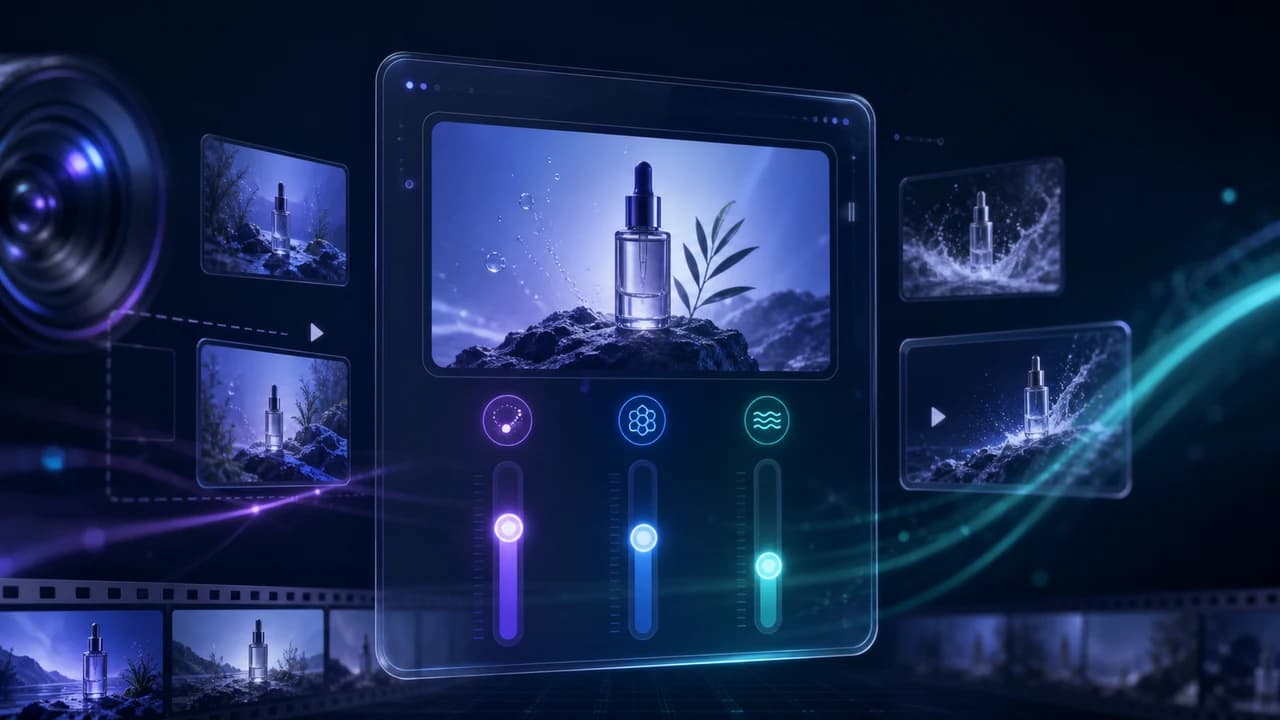
Krea 2 Generative Sliders tutorial for creators who need consistent AI image concepts before a paid video shoot.
Why Krea 2 Generative Sliders Matter
Krea 2 Generative Sliders tutorial is worth learning because it solves a practical creative problem: how do you explore several visual directions without rewriting the prompt from scratch every time? Krea describes three controls — Intensity, Complexity, and Movement — that let creators keep the same prompt while changing the strength of the style, the amount of visual detail, and the sense of motion or camera energy in the image. For video teams, that is more useful than another one-click pretty picture generator.
The real value is pre-production. Before a Vancouver business books a shoot, there is usually a messy stage where the client wants to see the mood: clean corporate, cinematic documentary, luxury real estate, energetic event recap, or social-first product launch. Traditional mood boards are static. A slider-based AI workflow lets a creative director show three or four controlled versions of the same idea and explain why one is better for the final video. That makes the conversation more concrete before the production budget is committed.
This does not replace filming. A slider-generated concept cannot capture your actual CEO, your real office, or a property at the right time of day. What it can do is make the planning stage faster and clearer. For corporate video production in Vancouver, where approvals often involve marketing, leadership, and sales teams, that clarity can save days of back-and-forth.
The Three Sliders in Plain English
Think of Krea 2 Generative Sliders as three separate dials that answer three different creative questions. Intensity asks how strongly the model should push the visual style. Low intensity keeps the image closer to the literal prompt; high intensity makes the look more dramatic, stylized, and sometimes less predictable. For a brand video mood board, low to medium intensity is usually safer because the concept still needs to feel connected to the real company.
Complexity controls how much visual information appears in the frame. A lower setting can create clean compositions with room for future typography, product overlays, or website hero sections. A higher setting adds texture, props, environmental detail, and richer backgrounds. Complexity is powerful, but it is also where AI visuals can become cluttered. If the goal is to support a script, not distract from it, use complexity deliberately.
Movement is the slider that video creators should pay the most attention to. Even when the output is a still image, movement changes the image language: camera angle, implied motion, dynamic lighting, and cinematic energy. A low movement setting feels like a calm product photo. A higher movement setting feels like a frame pulled from a moving sequence. That makes it useful for planning social cutdowns, launch teasers, or the pacing of a same-week event recap.
The workflow is simple: keep one prompt stable, duplicate it several times, and only adjust one slider at a time. This creates a clean comparison instead of a random gallery.
A Practical Workflow for Video Pre-Production
Start with the business outcome, not the tool. If the final project is a real estate listing video, the concept images should answer questions like: should the tone feel premium, warm, minimalist, or cinematic? Should the hero shots emphasize architecture, lifestyle, or neighborhood context? If the final project is a corporate brand film, the questions might be: do we want polished boardroom credibility, founder-led authenticity, or a fast-paced recruiting energy?
Write one base prompt that describes the audience, setting, camera feel, lighting, and emotional tone. Then create a three-by-three exploration: low, medium, and high intensity; low, medium, and high complexity; and two movement options. Do not change everything at once. Label the strongest versions in plain language: clean executive, cinematic founder story, energetic launch teaser. These labels are what clients remember, not the slider numbers.
Next, translate the winning concept into a real production plan. If the chosen Krea direction has strong diagonal light, plan for a window-lit interview or a controlled key light. If the concept shows a high, sweeping perspective, decide whether the real shoot needs licensed drone videography in Vancouver. If the concept depends on human expressions, schedule enough time for genuine interaction rather than trying to fake it in post.
Used this way, Krea becomes a bridge between imagination and logistics. It helps the client see the direction, while the production team turns that direction into camera placement, lighting, shot list, and edit rhythm.
Where Krea Helps Commercial Video Teams
The strongest commercial use case is visual alignment. Many video projects fail slowly because the team agrees on words but imagines different pictures. Everyone says premium, cinematic, modern, or authentic, but those words mean different things to different people. Krea 2 Generative Sliders let you show the difference visually before the shoot day.
For real estate marketing, low complexity can create clean luxury mood boards for condos and modern homes, while higher movement can explore dynamic open-house social clips. For product launches, intensity can test whether the visuals should feel polished and minimal or bold and futuristic. For event promotion, movement helps stakeholders understand whether the recap should feel calm and documentary or fast and energetic.
The tool is also useful for bilingual and multicultural campaigns. A Vancouver brand speaking to both English and Mandarin audiences may need a look that feels professional in LinkedIn, WeChat, Instagram, and a website hero. AI concept frames can quickly reveal whether a style feels too cold, too Western-stock-photo, or too visually busy for subtitles. A Chinese videographer in Vancouver can then shape the real shoot and edit so the final video feels natural in both languages.
The important rule: use Krea for decisions, not deception. It should help you choose direction, not pretend you already shot the real footage. Commercial clients are getting better at spotting generic AI visuals, so the best use is to improve planning for authentic production.
Common Mistakes to Avoid
The first mistake is treating sliders like magic instead of controls. If you move all three at once, you will get a set of attractive images, but you will not learn what caused the improvement. Change one variable at a time. If the image suddenly becomes better at medium complexity, that tells you the concept needed more environment detail. If high movement makes the frame feel chaotic, that tells you the final video should use calmer camera language.
The second mistake is over-styling brand work. High intensity can look impressive in a demo, but many businesses need trust more than spectacle. A law firm, real estate team, medical clinic, or B2B software company may perform better with restrained, believable visuals than with a hyper-futuristic AI look. Your concept should support the audience decision, not show off the tool.
The third mistake is forgetting production reality. If a concept depends on perfect sunset light, flying drone shots, and a large crew, the budget and schedule need to reflect that. AI can produce the idea instantly, but real production still needs weather planning, location access, permits when required, sound control, and post-production time.
Finally, avoid using AI concept frames as final proof of capability. If you are selling a real service, show real work too. Link mood boards to portfolio examples, behind-the-scenes notes, or the actual shoot plan. That is how AI supports credibility instead of replacing it. For businesses comparing options, the next step is usually to review all video production services and decide which parts need real capture.
A Simple Prompt Template
Here is a practical template you can adapt: professional commercial video concept frame for [business type] in [city], [subject] doing [action], [camera angle], [lighting style], [emotional tone], designed for [platform or use], realistic but polished, clean composition, room for captions, cinematic color, no text, no logo.
For a corporate example: professional commercial video concept frame for a Vancouver architecture firm, principal architect reviewing plans with a client in a modern studio, medium wide camera angle, soft window light, calm confident tone, designed for website hero and LinkedIn campaign, realistic but polished, clean composition, room for captions, cinematic color, no text, no logo. Start with medium intensity, low-to-medium complexity, and low movement. Then increase movement once to see whether the frame becomes more suitable for a teaser.
For a real estate example: professional real estate video concept frame for a Richmond waterfront home, evening exterior with warm interior lights and subtle city reflections, wide cinematic camera angle, premium calm tone, designed for listing video and social cutdown, realistic but polished, clean composition, no text, no logo. Test complexity carefully because real estate visuals need clean architecture, not visual noise.
The best result is not the most dramatic image. It is the image that helps the client approve a direction and helps the production team plan the actual footage. That is the practical role of a Krea 2 Generative Sliders tutorial for business video work in 2026.
Frequently Asked Questions
What are Krea 2 Generative Sliders?
Krea 2 Generative Sliders are controls for changing an AI image without fully rewriting the prompt. The main controls are Intensity for style strength, Complexity for visual detail, and Movement for cinematic energy or implied camera motion.
Is Krea 2 useful for video production?
Yes, especially in pre-production. It can create mood boards, storyboard references, and visual direction options before a shoot. It does not replace real filming, but it helps clients and production teams align faster.
Which slider should video creators use first?
Movement is often the most useful for video creators because it changes the frame from a static product-photo feel to a more cinematic, scene-like composition. For brand work, test movement after the basic style and complexity are already close.
Can Krea replace a videographer?
No. Krea can generate concept images and planning references, but it cannot capture real people, real events, clean audio, actual properties, or local Vancouver footage. It is best used to plan professional production, not replace it.
How should a business use Krea concept images with a video team?
Bring the strongest concept frames to the planning call, explain which mood you prefer, and let the video team translate the direction into lighting, camera movement, shot list, location choices, and edit pacing.
Ready to start your project?
Get in touch for a free consultation. I typically respond within a few hours.