
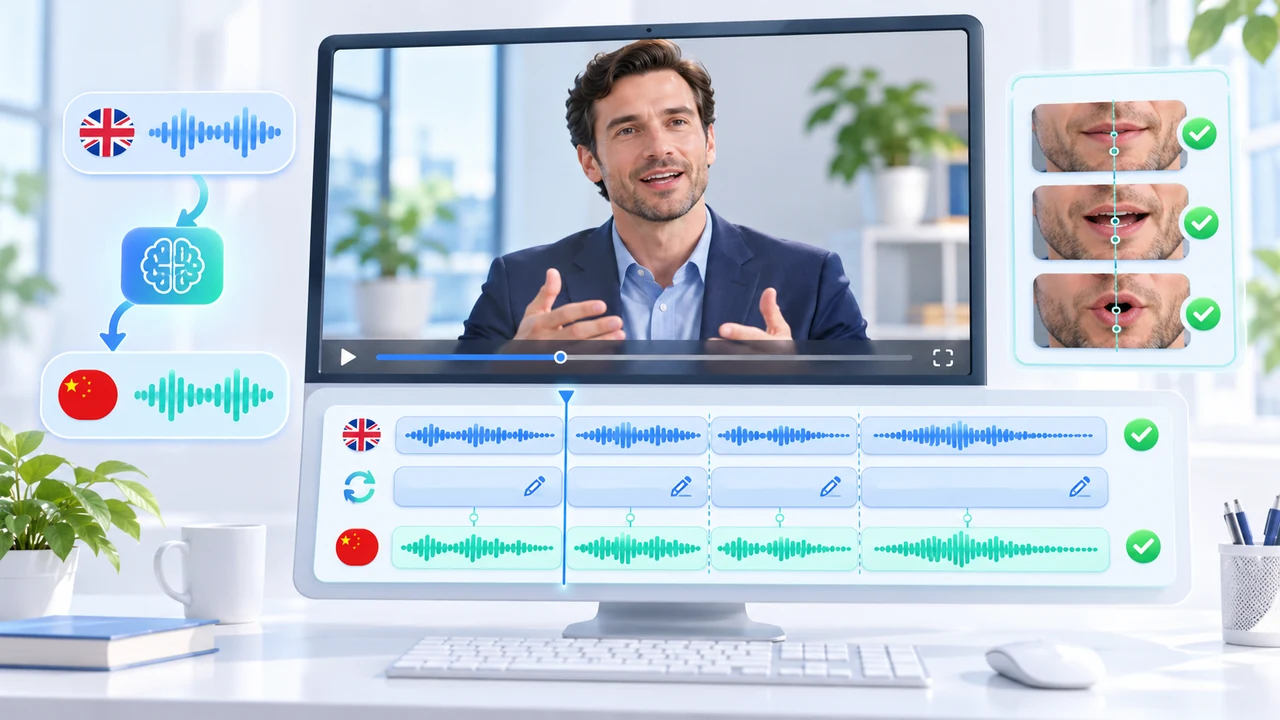
HeyGen video translation proofreading tutorial for an English-to-Chinese corporate interview.
What this HeyGen video translation proofreading tutorial delivers
HeyGen video translation proofreading tutorial readers will turn one approved 45–60 second English founder interview into a reviewed Simplified Chinese version. The measurable deliverables are a translated voice track, corrected terminology, refreshed segment audio, optional lip sync, optional burned-in captions, and a downloadable review file. This is not a one-click dubbing claim: names, numbers, product language, speaker assignment, pacing, captions, and visible English graphics all receive a separate human check.
HeyGen's official Proofreading for Video Translation guide calls the feature Proofread or Review & Edit. Its current Video Translation guide documents file inputs, engines, advanced settings, export options, and plan limits. Both pages show “updated over a week ago” rather than a calendar date and were checked November 10, 2026. The supported-language page, dated August 20, 2026, lists Mandarin Simplified and several other Chinese variants.
Review & Edit currently requires Pro, Business, Team, or Enterprise access. Uploads can be MP4, MOV, or WEBM up to 5 GB; an existing HeyGen project, full YouTube URL, or public Google Drive link is also accepted. The source must contain one spoken language. This tutorial did not submit a paid translation, so interface and capability statements are attributed to HeyGen, not presented as Steven Video Production test results. Confirm the signed-in plan, displayed credit estimate, consent, voice rights, and client approval before uploading. For a managed localization pipeline that combines real footage and AI post-production, see AI video production in Vancouver.
Prepare the interview, glossary, and translation brief
Begin with a clean master and an approval sheet. The example is a 52-second Vancouver founder introduction recorded in English, with one visible speaker, a lavalier microphone, and four short edits. Keep an untouched local master, dialogue-only WAV, approved English transcript, product spelling list, legal claims, consent record, and a frame grab of every on-screen graphic. HeyGen recommends a speaker facing the camera within roughly 45 degrees, close framing, low background noise, one person speaking at a time, and fewer cuts. If a microphone hides the mouth or the speaker turns into profile, plan to compare Precision rather than assuming Speed will repair it.
Build the Brand Glossary before creating Review & Edit. HeyGen's current Brand Glossary guide places it under Brand > Brand Glossary. Add terms one by one or import a checked spreadsheet. For this original scenario, create rules for Opulenza (do not translate), Vancouver (温哥华), the approved Chinese product-line name, and any regulatory phrase that must use client-approved wording. Preview pronunciation, but remember that a glossary preview may use a different voice from the project. The Proofread guide warns that a glossary must be selected when the project is created; it cannot be attached afterward without starting again.
Copy this production brief into your project notes—not into a nonexistent translation-prompt field: Target: Mandarin Simplified. Preserve the founder's calm, factual delivery. Keep Opulenza unchanged. Use the approved Chinese product name. Do not add benefits or claims. Numbers, dates, locations, and titles must match the source. Flag any sentence that needs more than ±20% timing adjustment. Hard-coded English graphics will be replaced manually in the editor. HeyGen explicitly documents that Video Translation has no prompt, tone, or context field, so the glossary, proofread script, and human review carry those instructions.
Create Review & Edit with the correct engine and settings
In the current web workflow, choose Translate from the left menu, upload the approved file or select another supported source, then set Source Language: English and Target Language: Mandarin – Simplified. Test one target language first even though HeyGen permits up to ten per job. The official guide recommends this to avoid spending credits on a batch that needs correction. Choose the localized Mandarin variant when a native target-language accent matters more than preserving the original English accent; use the base-language choice when the original speaker's identity and accent are the priority. Record that decision in the approval notes.
Select the engine deliberately. Audio Only costs 4 credits per output minute and has no lip sync. Speed costs 6 credits per minute and is intended for mostly front-facing footage with minimal occlusion and simple speaker changes. Precision costs 10 credits per minute and is documented for side profiles, microphones or hands covering the face, angle changes, and more complex conversations. Rates can vary by account or region, so HeyGen's current credit guide says the in-product amount shown before generation is authoritative. Proofread adds no separate fee when it becomes a translation; 4 credits per minute applies only when the proofread is never submitted as a translation.
Open Advanced, select the prepared Brand Glossary, and decide whether to keep Enable Dynamic Duration. It can stretch or compress segments by up to ±20%, which may change total runtime. Output to Original Video Specs is currently limited to Pro, Business, and Enterprise. Captions create a burned-in and a clean version, with SRT as the documented caption-file export. Then choose Review & Edit, not Translate. If you already have final Chinese copy, attach the output SRT before creating the proofread; later imports can fail when segment counts differ.
Proofread script, speakers, timing, and voice segments
When the project appears in Projects, open it and review every segment against the approved English transcript. Start with factual risk: person and company names, product terms, amounts, dates, locations, job titles, and regulated language. Correct natural Chinese phrasing rather than preserving English word order. For example, “We built this line for Vancouver teams that need a clear launch story” can become 我们为温哥华团队设计这套方案,让产品发布的重点更清楚—but only if that meaning matches the approved source and brand voice. Do not introduce adjectives, proof points, or guarantees that the speaker never made.
Next inspect the Speaker column. Reassign any line placed on the wrong person, and mark narration or an off-screen interviewer as Off-Screen so the system does not animate the visible founder for someone else's line. To change a voice, click the audio track and use Track section > Select Track Voices. After editing text, changing a voice, or adjusting timestamps, click Refresh Voice. HeyGen marks outdated segment audio with a yellow Refresh Voice button. Use inline Pronunciation for a one-off word; use Brand Glossary pronunciation when the same term must remain consistent throughout.
Use Preview to hear translated audio against the source video without lip sync. Do not mistake it for the final visual result. Listen once for meaning, once for names and numbers, and once for timing. A “script may be too short or too long” notice is a warning: play the segment, shorten or lengthen natural wording, or adjust timestamps. Overlapping timestamps block submission, so each segment must end before the next begins. If external review is required, export the current Excel or SRT, edit that exact version, and re-import without changing segment count. Save a named version before broad revisions so the later Result can be traced to its script.
Generate once, troubleshoot narrowly, and protect the budget
Only choose Generate Result after script, voice, speaker, and timing approval. Decide whether to include captions and whether the client needs lip sync. The Result tab contains the rendered version; the Preview tab does not. If the script changes after rendering, HeyGen displays the earlier result as stale rather than silently updating it. Keep that older version for comparison, then refresh only affected voice segments before a controlled new result. Never regenerate solely because a stakeholder says it feels “off”; identify whether the issue is meaning, pronunciation, pace, speaker assignment, lip closure, or the source shot.
Use one-variable retries. Wrong terminology: repair the script or glossary rule. One bad pronunciation: use inline respelling and audition it. Repeated brand pronunciation: update the glossary and, when necessary, restart because a glossary cannot be added to an existing proofread. Mouth drift on a clean front-facing section: confirm speaker assignment and refreshed audio before changing engine. Drift during profile, microphone occlusion, or speaker changes: compare Precision. An off-screen voice moving the founder's mouth: mark the segment Off-Screen. An SRT import failure: download the proofread's own script and edit that version, or start again with the output SRT attached before creation.
Do not expect Video Translation to replace hard-coded English titles, charts, logos, or lower thirds; HeyGen documents those as not translated. Replace them in the local editor using approved Chinese layout and fonts. Background sound also needs care: the optional removal setting affects music, while documented sound-effect handling may remove effects from translated audio. Retain the original mix and rebuild important ambience or effects downstream. For interviews where identity, terminology, captions, and brand claims need bilingual human review, corporate video production can be the safer bridge than accepting the first generated file.
Export and run bilingual corporate-video QA
Download both clean and captioned outputs when captions were enabled, plus the SRT and any approved script export available to the plan. HeyGen documents that original-spec output is plan-dependent; free export is up to 720p, Creator up to 1080p, and Pro, Business, or Enterprise can reach 4K only when the original has that resolution. Do not upscale merely to satisfy a delivery label. Keep a local mezzanine or highest legitimate source-quality master, a client review MP4, caption file, dialogue stem when available, and the unmodified English source. Audio-only download is currently documented as Enterprise-only.
Run three passes. Language QA: names, numbers, product terms, claims, grammar, natural Mandarin, caption line breaks, punctuation, and reading speed. Picture QA: lip closure, teeth, face edges, profile moments, cuts, speaker switches, lower thirds, charts, logos, and every hard-coded English element. Delivery QA: resolution, frame rate, aspect ratio, duration, audio channels, sync at the first and last sentence, captioned versus clean naming, mobile playback, desktop playback, and share-link permissions. Ask a fluent reviewer who understands the business context to approve meaning; fluent speech alone does not prove translation accuracy.
Archive the source, transcript, glossary version, plan and credit estimate, selected engine, Review & Edit versions, comments, refreshed segments, Result version, rejection reasons, replacement graphics, exports, consent, and final approval. The paired Chinese HeyGen proofreading tutorial follows the same controls with a Chinese-language checklist. If you need an English interview localized for Chinese-speaking viewers without losing control of terminology, graphics, captions, and client review, contact Steven Video Production with the source duration, target market, deadline, rights status, desired accent, caption needs, and required delivery specs.
Frequently Asked Questions
Which HeyGen plans include Video Translation Proofread?
HeyGen currently documents Review & Edit for Pro, Business, Team, and Enterprise users. Plan names and entitlements can change, so verify the signed-in workspace before uploading client media.
How many credits does HeyGen video translation use?
The current standard rates are 4 credits per minute for Audio Only, 6 for Speed, and 10 for Precision. Account or regional rates may differ; the in-product pre-generation amount is authoritative.
Does HeyGen translate text already visible in the video?
No. Video Translation handles spoken audio, optional lip movement, and optional captions. Hard-coded titles, charts, labels, and source captions must be replaced separately.
Should a corporate interview use Speed or Precision?
Use Speed for mostly front-facing, unobstructed footage with simple speaker changes. Compare Precision for profiles, microphones or hands over the face, angle changes, or complex conversations.
Can I upload my own Chinese SRT to HeyGen Proofread?
Yes, but attach an output SRT before creating Review & Edit. Later imports must match the proofread segment count; editing the script exported from that proofread is the safer route.
Ready to start your project?
Get in touch for a free consultation. I typically respond within a few hours.