
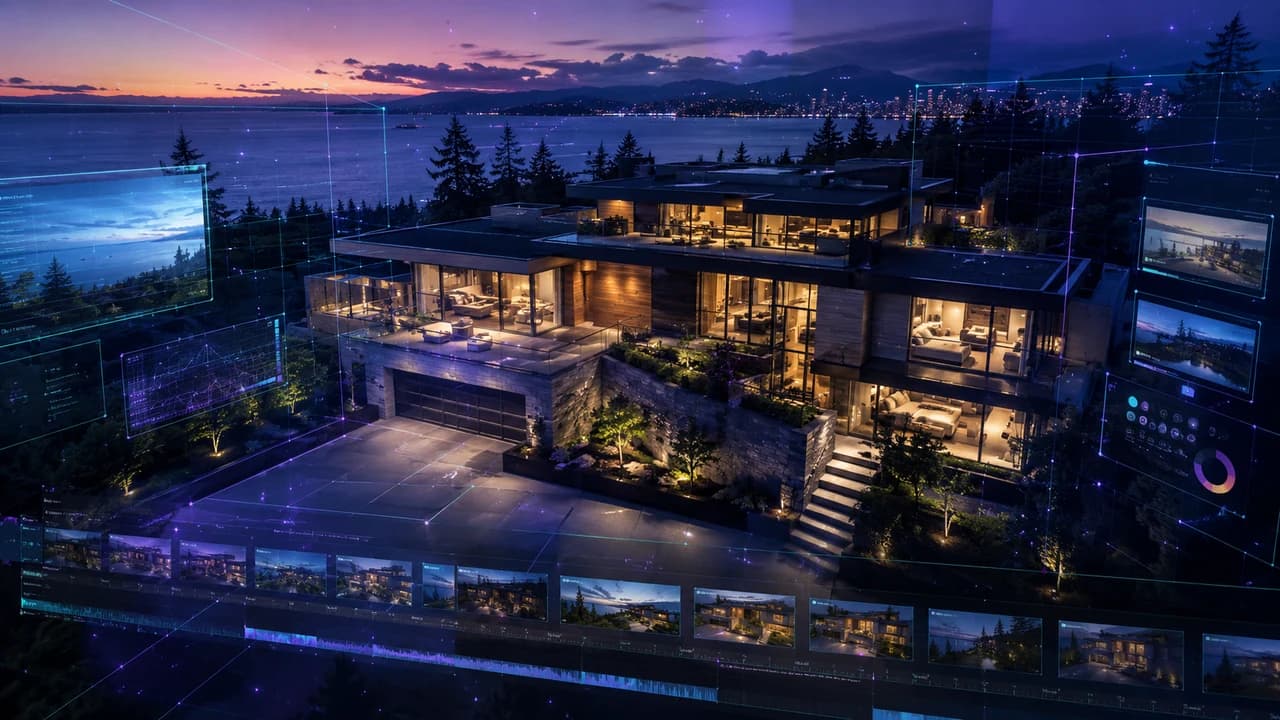
AI real estate video marketing in Vancouver is rewriting the economics of property listings. Kling 3.0, Seedance 2.0, and Veo 3.1 now let agents produce polished listing video for under $100 — and local realtors are reporting 45% more showing requests as a result. Here's what actually works, what it costs, and where the limits are.
AI real estate video marketing in Vancouver has crossed a threshold in 2026. For under $100 in monthly tool credits, a realtor or property manager can now produce listing video that, six months ago, would have cost $800–$1,500 to commission. The tools doing it — Kling 3.0, Seedance 2.0, and Veo 3.1 — aren't producing Hollywood-grade footage, but they're producing something genuinely usable: smooth exterior approaches, polished B-roll, and aerial-style shots that make a listing look like it received full real estate video production in Vancouver. This guide breaks down what actually works, what the real costs are, and where AI video still has hard limits.
What's Actually Changed for Real Estate Video in 2026
Three things shifted simultaneously this year. First, AI video models learned architectural consistency — Kling 3.0 can hold a property's structure, lighting palette, and color temperature across multiple shots without the geometry collapsing between frames. Second, generation time dropped below 30 seconds per clip on standard plans. Third, pricing reached something every agent can afford: Kling 3.0 ships a free tier with 5 minutes of 4K per month; Seedance 2.0 runs ~$30/month for a full listing's worth of footage. The result is that the barrier to entry for real estate video — which used to be 'hire a professional or post photos only' — has dropped to a decision any agent can make unilaterally. For fast-moving markets like Richmond, Burnaby, and East Vancouver where listings expire in days, that changes the math on what counts as table stakes for a property launch.
The Three Tools Worth Using for Real Estate Video
Three tools have earned a consistent place in the real estate video workflow in 2026. Kling 3.0 is the best free starting point: the latest release includes 5 minutes of 4K generation monthly on its free tier, native audio, and stronger exterior architectural handling than any other consumer model. A well-framed still photo of a property exterior plus a concise prompt — 'smooth aerial dolly move, golden hour lighting, modern home, West Coast architecture' — produces usable footage in under a minute. Seedance 2.0 has better motion consistency, making it the right tool for interior walkthroughs where the camera needs to move logically through a space without walls warping mid-shot. Veo 3.1's LoRA module is the power-user option: for brokerages or property management companies producing video across many listings, brand consistency (logo placement, color grading, typography) at a 98.5% pass-through rate means no manual cleanup per listing. For genuine aerial footage over Vancouver neighborhoods, these tools don't replace real drone work — AI-generated aerials lack geographic specificity — but they work well as stylized B-roll in a mixed workflow.
How to Produce a Listing Video for Under $100
The hybrid workflow producing results for Vancouver agents right now combines AI-generated B-roll with real property stills. Start with a 3–5 minute iPhone walkthrough of the property — every room, exterior, street frontage — shot in the best available natural light. This is your source material for AI prompts and your fallback footage for any room the AI struggles with. Upload 4–6 of the strongest exterior stills to Kling 3.0 and generate short clips: exterior approach, front entry, backyard or deck, any standout feature (view, kitchen island, feature wall). Run interior transitions through Seedance 2.0 — hallways, living-to-dining flow, staircase — where smoother motion consistency matters most. Edit in CapCut or DaVinci Resolve, license music through Epidemic Sound (~$15/month), apply a single consistent LUT across all clips. Total monthly tool cost: $15–$45 for a first month, near-zero once you're on existing subscriptions. Time per listing: 3–4 hours the first time, 1–2 hours once the workflow is dialed. The output is well-suited for social media, Google Business Profile posts, and MLS supplementary video.
What Vancouver Realtors Are Actually Seeing
Early data from real estate AI communities is notable: listings with AI-enhanced video are averaging roughly 45% more showing requests compared to photo-only listings, with cost per lead running 70–75% lower than traditionally produced video. In the Richmond and South Vancouver markets, where a large share of buyers research listings in both English and Chinese, video content carries particular weight — it communicates layout, light, and atmosphere without language friction. Worth stating honestly: these numbers come from early adopters, and the photo-only comparison is a low bar. The more useful benchmark is AI video versus professionally produced video, where the quality gap is real and visible to buyers who've seen both. What the data does establish clearly is that video beats no video — and AI has made video accessible to every price point in the market.
Where AI Real Estate Video Still Falls Short
Three genuine limits to know before committing to an AI-only approach. Geographic accuracy: AI models have no knowledge of what the corner of No. 3 Road and Westminster Hwy looks like, or the mountain backdrop visible from a specific North Shore property. Any AI exterior will look like a convincing 'luxury home in a temperate coastal city' — not the actual listing address. For buyers doing due diligence, that matters. Interior accuracy: AI walkthroughs are plausible but approximate — they don't reproduce a specific floor plan, the actual kitchen layout, or the true ceiling height of a suite. For listings where the interior is the selling feature, AI video is a marketing supplement, not a substitute for accurate representation. Compliance: MLS boards and provincial real estate councils are still formalizing disclosure requirements for AI-generated content. Licensed agents should check their local board's current guidelines before including AI video in official listing packages — the quality question is largely resolved; the compliance question is the actual friction point.
Professional Video and AI: The Combination That Works Best
The most effective approach for high-value Vancouver listings isn't choosing between AI and professional — it's sequencing them. Use AI-generated content early in the marketing cycle: pre-launch social teasers, agent-to-agent sharing before the listing goes live, filler content for a Google Business Profile post or Instagram story. Then bring in professional real estate video production for the official listing package — the footage that appears on MLS, the agent's website, and any property-specific landing page. Professional production delivers geographic accuracy, legally reliable representation, and editorial precision that AI still can't match at the property level. For corporate clients managing multiple properties or mixed-use developments, this hybrid keeps content costs predictable across the whole portfolio while concentrating professional production spend where it matters most. The realistic version of AI real estate video marketing in Vancouver in 2026: not a replacement for professionals, but a real expansion of what every agent can afford to publish.
Need Video Content for Your Business?
If you are a Vancouver business, AI tools can help with ideas and production speed — but your final video still needs story, editing, color, sound, and a clear marketing goal.
Steven Video Production creates business videos, real estate videos, social media clips, and AI-assisted video workflows in Vancouver.
Frequently Asked Questions
How much does AI real estate video cost in Vancouver?
Tool costs run $0–$45/month depending on volume. Kling 3.0's free tier covers 5 minutes of 4K monthly; Seedance 2.0 starts at ~$30/month. Add $15/month for Epidemic Sound music licensing and you're under $60 for unlimited listing videos. Time cost is 2–4 hours per listing until the workflow is dialed.
Can AI video replace a professional real estate videographer in Vancouver?
Not for high-value listings, official MLS video, or footage requiring geographic accuracy. AI video is a strong supplement for social media, pre-launch content, and budget-conscious listings. For properties above $1.5M or listings where video is the primary marketing tool, professional production delivers meaningfully better trust, accuracy, and editorial quality.
What AI tools work best for real estate video in 2026?
Kling 3.0 for exterior shots (best free tier, 4K + audio), Seedance 2.0 for interior walkthroughs (stronger motion consistency), and Veo 3.1 for brand-consistent multi-listing pipelines. CapCut or DaVinci Resolve for editing, Epidemic Sound for licensed music.
Is AI-generated real estate video good enough for MLS listings?
The quality is sufficient for many supplementary use cases. The bigger question is compliance — check your local MLS board's current guidelines on AI-generated content disclosure before including it in official listing materials. Policies are still being formalized across different boards.
How do I start using AI video for real estate marketing in Vancouver?
Start with Kling 3.0's free tier. Take 5–10 strong exterior stills from a listing and experiment with generating short clips using simple prompts. Once you can produce usable exterior footage, add Seedance 2.0 for interiors. Most agents produce their first usable AI listing video within 3–4 hours of starting.
Ready to start your project?
Get in touch for a free consultation. I typically respond within a few hours.