
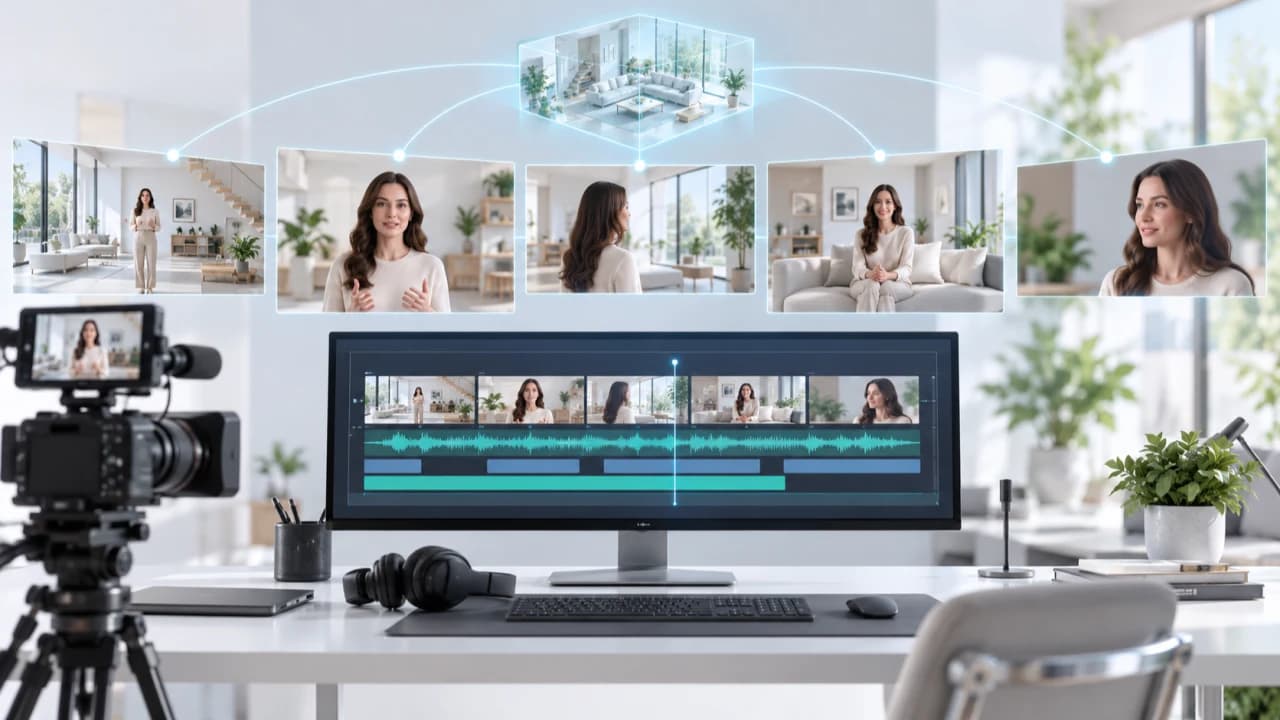
AI multi-shot video continuity keeps characters, spaces and actions coherent across a commercial edit.
AI multi-shot video continuity is an editing problem, not a one-prompt trick
AI multi-shot video continuity means that a person, product, room and action still make sense after several generated clips are placed together. A single attractive shot can hide many errors. The problem becomes visible when an editor cuts from a wide view to a close-up, leaves the location for another scene, and later returns. A jacket changes colour, a doorway moves, a product gains a button, or an actor reaches with the wrong hand. Each clip may look polished on its own while the sequence feels unreliable.
Start with the communication goal rather than the generator. Write what the audience must understand in each beat, then decide which visual facts must remain fixed. For a brand film, those facts may include the approved product shape, package artwork, wardrobe and colour palette. For a property concept, they may include room layout, window placement and a clear distinction between an illustration and documented real footage. This turns continuity from a vague request into a list an editor can check.
The October 15 AI news brief highlights ATAS, a research paper that uses scene and event memory to align non-contiguous shots. Its authors report improvements across four generators. That is a useful research direction, not proof that every commercial scene can now be generated consistently. Buyers still need a workflow for references, shot planning, review and fallback footage. A human-directed Vancouver AI video production service should judge the connected edit, not simply count how many usable-looking clips a model produced.
Build a continuity bible before generating the first shot
Create one compact continuity bible for the sequence. Give every character, product and location a stable ID. For a person, store approved front, side and three-quarter references, wardrobe details, hairstyle, accessories and any features that cannot drift. For a product, include accurate views, dimensions that affect interaction, current packaging and the exact details that must never be invented. For a location, keep a simple floor plan or annotated stills showing entrances, windows, furniture and the main light direction.
Add scene-state notes, not just appearance references. Record where every subject starts, what each hand is holding, whether a door is open, how full a glass is, what time of day the scene represents and which direction the person moves across the frame. When the story leaves a room and later returns, make a return-state card. It should say what changed because of the story and what should remain untouched. This is the practical version of giving the production a memory instead of expecting each new prompt to reconstruct the past.
Keep the bible small enough that a producer can use it. Separate locked facts from flexible style choices. A logo, face, floor plan or safety-related action may be locked. Lens feel, background extras or the exact movement of a curtain may be flexible. Name every reference and date each approved version. If the client changes a package or wardrobe midway through production, update the source of truth before generating more shots. Otherwise, the team may spend hours correcting outputs against an obsolete reference.
Plan shots around edit points and controlled changes
A continuity-friendly shot list describes how clips connect. For each shot, note the incoming state, visible action, outgoing state, screen direction, framing and intended edit point. If a presenter lifts a product in the wide shot, the close-up should begin with the product in the same hand and at a compatible height. If a camera crosses the action axis, make that change intentional. If a location is revisited, specify which wide reference establishes the room again.
Limit the number of difficult variables inside one generated clip. A precise face, readable package, complex hand interaction, moving camera and transforming environment create several opportunities for failure at once. Break the idea into simpler shots when possible. Film or composite the accurate product close-up, then use generated material for an atmospheric transition. Use a cutaway to bridge an action that the model cannot repeat. Let sound carry continuity across a visual change instead of forcing a fragile continuous motion.
This planning is especially important for corporate work, where the sequence still has to support approved facts and stakeholder review. A Vancouver corporate video production workflow can combine interviews, product footage, motion graphics and generated plates without asking one technique to solve every shot. Before generation, make a low-cost animatic with still frames and temporary audio. If the story is confusing there, more detailed video will not repair it. The animatic also reveals which shots truly need continuity and which can be independent inserts.
Review adjacent shots and return shots with the same checklist
Review outputs in context as soon as they arrive. First compare each candidate with its approved references. Then place it between the shot before and the shot after. Check identity, wardrobe, product geometry, labels, eyeline, screen direction, hand position, room layout, weather, time of day, light direction and action timing. Watch the cut at normal speed, then pause on both sides of the edit. Some errors disappear during motion; others create a distracting jump that is obvious only in sequence.
Use the same process for non-adjacent return shots. Put the first room view beside the later return and compare stable landmarks. Confirm that any change is explained by the story. If a chair moved because someone used it, the change may be correct. If a wall, window or staircase moved, the scene has lost its spatial logic. For a real property, generated geometry must never be presented as documentary evidence of the actual space. Use real footage for claims about what exists and label a generated design concept clearly.
Record decisions in a shot table: candidate ID, reference version, pass or fail, failure reason, repair option and approved edit position. Group failures into identity, object, space, action, light, camera and factual accuracy. This makes repeated problems visible and helps the producer decide whether another attempt is worthwhile. It also prevents a polished clip from slipping into the edit after someone already rejected it for a factual error.
Choose repair, replacement or real footage before retries consume the budget
Not every continuity error needs another full generation. A small colour shift may be fixed in grading. A screen, sign or package label may be replaced with an approved element in compositing. A slightly awkward transition may disappear behind a cutaway or sound bridge. A wrong face, false property feature, impossible product interaction or major room-layout change is a different class of failure. Those problems usually require a replacement shot, a simpler composition or real footage.
Set a retry limit before the difficult shots begin. The limit can vary by risk and importance, but it should force a decision. After the limit, compare the best candidate with the acceptance criteria and choose one of four paths: repair a bounded area, redesign the shot, replace it with another visual method, or film it. Do not let sunk cost turn an inaccurate clip into an approved one. Generation cost is only one part of the budget; producer review, file management, compositing and client approval also take time.
For a property campaign, real video remains the reliable source for the actual rooms, views and condition. Generated material can help illustrate a labelled renovation concept, transition between ideas or explore mood before production. Our Richmond real estate video service is built around accurate on-site capture, while AI-assisted elements can be scoped separately where they add value. The strongest hybrid workflow gives every shot a reason and a fallback rather than using AI simply because a tool is available.
Approve the complete sequence, then test every delivery format
Final approval belongs to the sequence, not the individual clips. Watch the full edit with dialogue, music and effects. Check whether sound masks a visual discontinuity or creates a new one, such as footsteps that continue after a person stops. Review titles, captions, logos and claims against the current approved information. Then watch silently to focus on identity, geography, action and visual rhythm. A clip that passed alone can still weaken the story when it interrupts the viewer's understanding of where people are and what they are doing.
Export the actual 16:9, 1:1 and 9:16 deliveries and inspect each one. Reframing may crop out a continuity anchor, change the apparent eyeline or hide the object that explains an action. Compression may expose edge artefacts around a composite. Confirm that any generated concept remains clearly labelled in every version, not only in the widescreen master. Keep the continuity bible, approved shot IDs, edit version and rights notes with the delivery archive so a later revision does not restart from guesses.
ATAS is a timely signal that researchers are treating multi-shot consistency as a memory and world-state problem. Commercial teams should still evaluate results with their own approved assets and should not turn a reported paper improvement into a client guarantee. If you are planning a sequence that mixes generated scenes with real interviews, products or locations, contact Steven Video Production with the audience, must-be-accurate details, available references and delivery formats. We can determine which shots benefit from AI and which are safer, faster or more credible to film.
Frequently Asked Questions
What is AI multi-shot video continuity?
It is the consistency of characters, products, locations, lighting, screen direction and actions across separate generated clips that are edited into one sequence.
How do you keep the same character consistent across AI video shots?
Use approved multi-angle references, lock wardrobe and identity details, record the scene state, compare adjacent and return shots, and reject outputs that drift beyond the acceptance criteria.
What is a continuity bible for AI video production?
It is a compact source of truth containing approved character, product and location references plus scene-state notes, locked facts, flexible choices and version dates.
Can AI multi-shot video replace filming a real property?
No. Generated scenes should not be used as documentary evidence of a real property's features or condition. Use real footage for factual claims and clearly label concept visuals.
How much does a consistent multi-shot AI video cost?
Cost depends on shot count, reference preparation, generation attempts, human review, compositing, sound, rights checks and delivery formats. A scoped quote is more reliable than a per-clip estimate.
When should an inconsistent AI shot be filmed instead?
Switch to real footage when identity, product accuracy, physical interaction, property truth or repeated continuity failures make generation less reliable than filming or compositing.
Ready to start your project?
Get in touch for a free consultation. I typically respond within a few hours.