
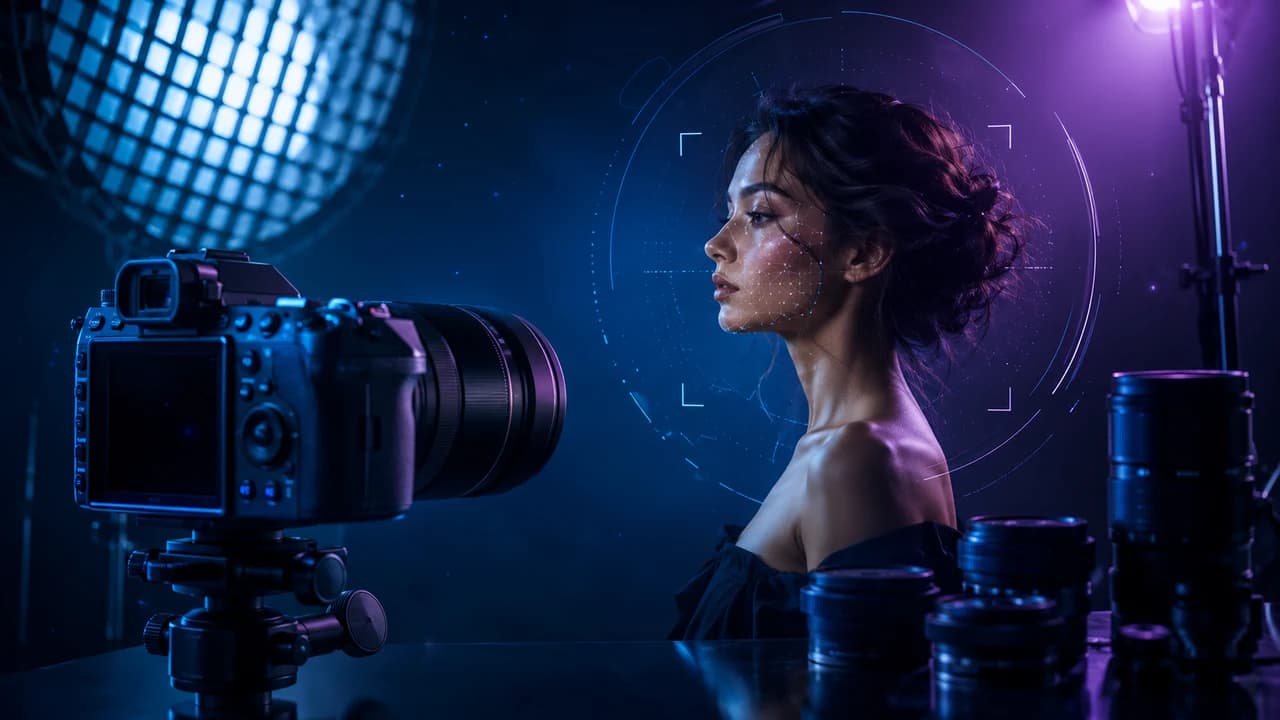
An AI headshot prompt can turn an ordinary phone selfie into a polished, professional portrait in under a minute — no studio, no photographer, no lighting kit. This guide breaks down the exact prompt structure behind the viral "corporate headshot" trend, compares which AI tools produce the most convincing results, and explains how solo founders, agents, and small business owners can use it as the first step toward a complete visual brand — including video.
Why AI Headshot Prompts Went Viral
AI headshot prompts went from a niche power-user trick to a mainstream habit almost overnight. The spark was a single prompt that started circulating widely this week: "Turn this photo into a professional corporate headshot — studio lighting, neutral background, business attire." Paste it into Claude or ChatGPT along with a selfie, and the model returns something that looks startlingly close to a $300 studio session.
The appeal is obvious. A polished headshot used to require booking a photographer, picking an outfit, finding a clean background, and waiting days for retouched files. Now it takes one well-written sentence and about thirty seconds of generation time. For solo founders, real estate agents, consultants, and small business owners, the gap between "phone selfie" and "professional portrait" was one of the most expensive and most postponed parts of building a personal brand — and AI just made it nearly free.
This matters more than it sounds for Vancouver corporate video clients and the small businesses Steven Video works with regularly. A consistent, professional headshot is now a baseline expectation across LinkedIn, Google Business Profiles, team pages, press kits, and email signatures. Showing up with a blurry selfie next to a competitor's studio portrait is a quiet but real credibility gap — and it's one of the fastest, cheapest gaps to close with AI.
This guide walks through the exact prompt structure behind the trend, compares how Claude, ChatGPT, and Midjourney handle headshot generation, flags the mistakes that make AI portraits look obviously fake, and — most importantly — explains why a great headshot is just the first frame of a much bigger opportunity: building a complete, AI-assisted visual brand that extends into video.
The Exact Prompt Structure That Works
The viral prompt is simple on the surface — "Turn this photo into a professional corporate headshot, with studio lighting, a neutral background, and business attire" — but its effectiveness comes from four specific elements that any AI image model needs in order to produce a convincing result.
1. Lighting specification. "Studio lighting" tells the model to replace harsh, uneven phone-camera light with soft, even illumination — the single biggest visual difference between a selfie and a portrait.
2. Background instruction. "Neutral background" (or "soft gradient background," "blurred office background") removes the cluttered bedroom or car interior that gives away a phone photo instantly.
3. Attire direction. "Business attire," or more specific phrasing like "dark blazer, white shirt," lets the model swap casual clothing for something that reads as professional — without you needing to actually own the outfit.
4. Framing and composition. Adding "head-and-shoulders composition, looking slightly off-camera, soft natural smile" gives the model a clear target for cropping and pose — both common failure points if left unspecified.
A more complete version that consistently produces stronger results: *"Turn this photo into a professional corporate headshot: soft studio lighting from the front-left, blurred neutral gray-blue background, dark business attire, head-and-shoulders framing, natural confident expression, photographic realism, no text or watermark."*
Notice what's absent: no instruction to change facial features, skin tone, age, or body shape. The strongest AI headshot prompts enhance the *environment and presentation* around a person rather than altering the person — which produces results that still look like the actual subject, just in better conditions. That distinction is also what keeps the output usable for real-world purposes like LinkedIn or a Google Business Profile, where a headshot needs to be recognizable.
Claude vs. ChatGPT vs. Midjourney for Headshots
Not every AI tool handles this prompt the same way, and the differences matter if you're trying to get a usable result on the first or second attempt.
Claude: Claude tends to follow structured, multi-part prompts most literally — it respects lighting and background instructions precisely and rarely "over-stylizes" a portrait into something that looks like digital art rather than a photograph. This makes it a strong choice when realism is the priority, which it almost always is for a headshot meant to represent a real person.
ChatGPT (GPT Image): This is where the viral prompt originated, and for good reason — ChatGPT's image model handles the "corporate headshot" transformation reliably and integrates naturally into a conversation, so you can iterate ("make the lighting warmer," "change to a navy blazer") without restarting. It's the most accessible entry point for someone trying this for the first time.
Midjourney: Midjourney produces the most visually striking results — richer lighting, more cinematic color grading — but it also takes the most liberty with facial structure and proportions, which can drift the output away from looking like the actual person. It's a better fit for stylized brand imagery (think: a moody founder portrait for a website hero) than for a headshot that needs to match someone's real-world appearance.
For most small business owners and professionals, the practical recommendation is: start with ChatGPT or Claude for a realistic base headshot, and reserve Midjourney for stylized brand photography where artistic license is a feature, not a bug. If your business already works with a Vancouver corporate video team, pairing an AI-generated headshot with a short on-camera intro clip creates a far more cohesive brand presence than a still photo alone.
Five Mistakes That Make AI Headshots Look Fake
AI headshots fail in predictable, fixable ways. Here are the five most common mistakes — and the prompt adjustments that fix them.
Mistake 1: Vague lighting language. "Good lighting" produces inconsistent results because the model has to guess what "good" means. Specify direction and quality: "soft studio lighting from the front-left" or "diffused window light, slightly warm tone."
Mistake 2: No background instruction. Leaving the background unspecified often means the model keeps fragments of your real environment — a bookshelf, a window, a wall color that clashes with your brand. Always specify: "blurred neutral background," "solid soft-gray backdrop," or "softly blurred modern office interior."
Mistake 3: Over-specifying facial changes. Prompts that ask the model to "make me look younger," "slim my face," or "improve my skin" tend to produce results that look noticeably artificial — and that no longer resemble the person they're meant to represent. Stick to environment and presentation; let the model's natural lighting and retouching do the rest.
Mistake 4: Ignoring aspect ratio and crop. A headshot destined for LinkedIn (square), a website team page (portrait), or a press kit (landscape) needs different framing. Specify the intended use — "square crop, head-and-shoulders, centered" — so you don't end up cropping a generated image awkwardly afterward.
Mistake 5: Stopping at one image. The first generation is rarely the final one. Treat it like a real photo session: generate several variations with small prompt adjustments ("warmer lighting," "slightly more formal attire," "different angle"), and pick the strongest from the set — exactly the way a photographer shoots multiple frames and selects the best.
From One Photo to a Full Visual Brand
A great AI headshot solves one problem — but it also exposes the next one. The moment your LinkedIn photo looks like it came from a $300 studio session, the gap between that polished still image and your actual video presence becomes much more visible. A sharp headshot next to a shaky, poorly lit phone video sends a mixed signal about how seriously you take your own brand.
This is where the AI headshot trend connects directly to a much bigger opportunity: using it as the entry point into a complete, professionally produced visual identity. The same studio lighting, neutral backgrounds, and "business attire" language that make a headshot prompt work are the exact production values that define professional corporate video production in Vancouver — a polished company intro, a founder story video, a team introduction reel, or bilingual content for Chinese-speaking audiences.
Many of the small business owners and professionals experimenting with AI headshots right now are, often without realizing it, taking the first step toward a much larger visual upgrade: matching a professional still image with professional motion content — the kind that actually converts views into bookings, leads, and trust. An AI headshot might get someone to click on your profile. A well-produced video is what gets them to actually reach out.
If you've just generated a headshot you're proud of, the natural next question is: does the rest of your online presence — your About page, your service pages, your introduction video — look as professional as that photo now does? For many businesses, that's the moment to bring in a full-service Vancouver video team to close the gap.
Where AI Headshots Actually Pay Off
Not every use case benefits equally from an AI headshot — but several specific situations make the five minutes it takes to write a good prompt clearly worthwhile.
LinkedIn and professional networking: Profiles with professional headshots receive significantly more views and connection requests. An AI-generated portrait closes this gap instantly, with no scheduling required.
Real estate agent profiles: Agent bios and listing pages live or die on trust signals, and a polished headshot is one of the fastest ones to establish. Pairing an AI headshot with professional real estate video content creates a consistent, trustworthy presentation across photo and video — exactly what prospective clients are scanning for when comparing agents.
Google Business Profiles: Profile photos directly affect how trustworthy a local business listing appears in search results — and trust signals influence both click-through rate and conversion from search to contact.
Press kits and media pages: Journalists, podcast hosts, and event organizers need a usable headshot fast. Having an AI-generated option ready removes the most common bottleneck in getting featured.
Team pages for small businesses: Companies that can't afford a full team photo session can use the same AI headshot prompt across every team member to create a unified, professional team page — something that often gets postponed indefinitely without an easy option like this.
In every one of these cases, the headshot is doing one job: building enough trust to get someone to take the next step — click, call, or book. The businesses that win are the ones that follow through on that trust with equally professional video, service pages, and follow-up. An AI headshot prompt is a five-minute fix for the first impression. What you build on top of that impression is what actually grows the business.
Frequently Asked Questions
What is the best AI headshot prompt to turn a selfie into a professional photo?
The most effective prompt specifies four things: lighting ("soft studio lighting from the front-left"), background ("blurred neutral gray-blue background"), attire ("dark business attire"), and framing ("head-and-shoulders composition, natural expression"). A complete version that works well: "Turn this photo into a professional corporate headshot: soft studio lighting, blurred neutral background, business attire, head-and-shoulders framing, photographic realism, no text or watermark."
Which AI tool makes the most realistic headshots — Claude, ChatGPT, or Midjourney?
ChatGPT (GPT Image) and Claude both produce realistic results that closely resemble the original subject, making them better choices when the headshot needs to represent a real person for LinkedIn, a business profile, or a press kit. Midjourney produces more visually striking, stylized images but takes more liberty with facial structure — better suited for artistic brand photography than identification-accurate portraits.
Is it okay to use an AI-generated headshot on LinkedIn or a business profile?
Yes, as long as the result still looks like you. Prompts that only adjust lighting, background, and attire — without altering facial features — produce headshots that remain recognizable and authentic. Avoid prompts that change your age, weight, or facial structure, since those can create a mismatch between your photo and how you actually look in person or on camera.
How many times should I generate an AI headshot before picking one?
Treat it like a real photo session — generate at least four to six variations with small prompt adjustments (lighting warmth, attire color, angle, expression) and choose the strongest, just as a photographer would shoot multiple frames and select the best one. The first result is rarely the final one.
Can an AI headshot replace professional photography or video entirely?
For a quick profile photo update, often yes — an AI headshot prompt is good enough. But for a complete professional brand presence — website hero images, founder story videos, team introduction reels — working with a professional video team produces consistent, higher-quality results across photo and video that an AI tool alone can't match. Many businesses use an AI headshot as a fast first step, then invest in [professional video production](/corporate-video-vancouver) to complete the visual brand.
What's the biggest mistake people make with AI headshot prompts?
Asking the AI to change facial features — "make me look younger," "slim my face" — rather than just improving lighting, background, and attire. This produces results that look artificial and no longer match the person's real appearance. The strongest AI headshot prompts enhance the environment around a person, not the person themselves.
Ready to start your project?
Get in touch for a free consultation. I typically respond within a few hours.