
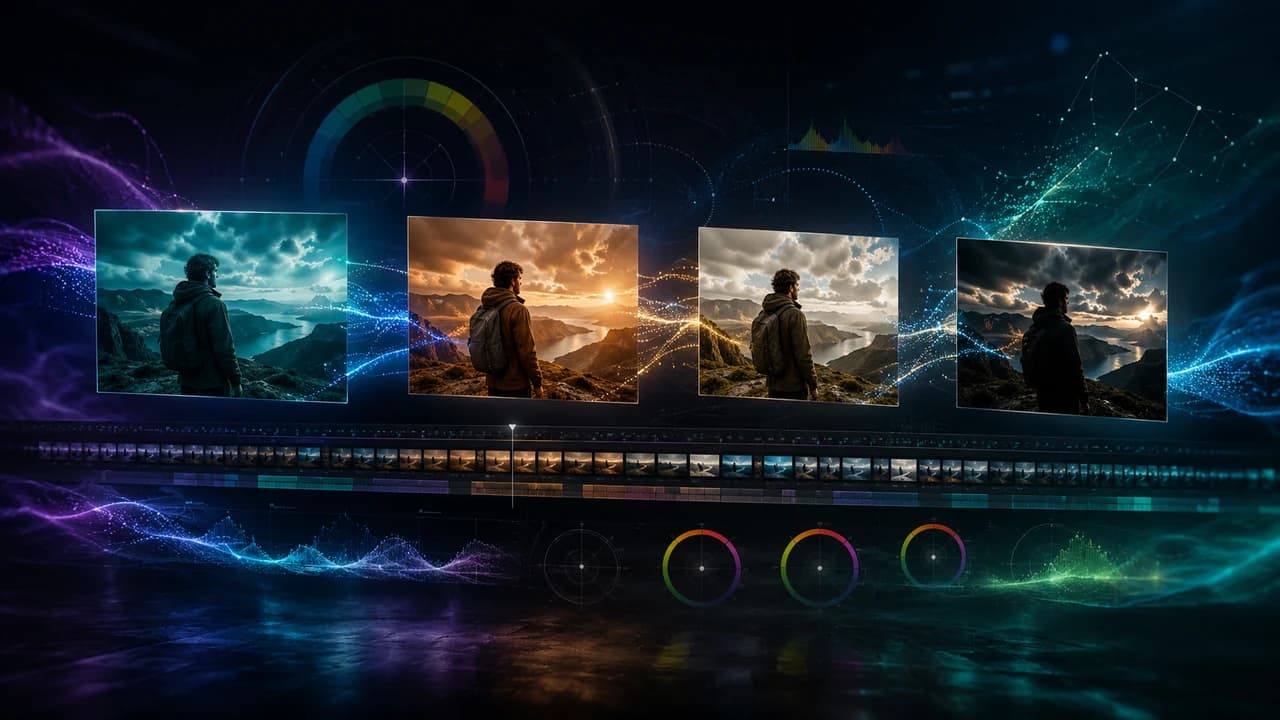
AI color grading finally crossed the line from gimmick to real production tool in 2026. This guide walks through the AI color grading tools I actually use on Vancouver corporate and real estate shoots — what works, what doesn't, and where AI still hands the steering wheel back to a human colorist.
AI color grading was a punchline three years ago. Auto-tone buttons that smashed every clip into the same orange-and-teal preset, plugins that crushed skin tones, LUT-matchers that confidently produced the wrong look. In 2026, that's no longer the story. The current generation of AI color grading tools — DaVinci Neural Engine 4, Colourlab Ai 3, FilmConvert AI, and the AutoTone module that shipped with Premiere Pro this spring — handle real production footage well enough that they're now part of my regular workflow on corporate video shoots in Vancouver and multi-camera real estate edits. This guide is what I'd tell another working videographer who's been on the fence.
What AI Color Grading Actually Means in 2026
The phrase 'AI color grading' covers a lot of ground, and the gap between marketing copy and real capability is still wide. The honest definition: AI color grading is a set of machine-learning models that look at your footage, identify what's in it (faces, skies, foliage, product, brand color), and produce a starting grade — including primary balance, secondary masks, and look transfer — that a human colorist can then refine. The keyword is starting. None of the 2026-era tools are 'one-click and ship.' They're closer to a strong assistant colorist who never gets tired and is great at the boring parts: matching exposure across a 6-camera event, rolling neutral skin tones across an interview series, or transferring a reference look across 200 real estate clips.
The Tools That Made the Cut This Year
Four tools earned regular rotation in my pipeline. DaVinci Resolve 19's Neural Engine 4 is the strongest all-rounder — its Magic Mask and Color Match are now legitimately production-grade, and the new Relight feature lets you re-key footage after the fact in ways that were unthinkable two years ago. Colourlab Ai 3 is the choice when you need to match a feature-film reference look across a corporate spot or commercial; its 'show me 3 looks' workflow saves real time on client review rounds. FilmConvert AI is the fastest path to a clean, broadcast-ready look on social-first content — five seconds per clip, batch-processable. AutoTone in Premiere is the everyday workhorse for talking-head and event footage; it won't impress a colorist but it cuts the boring 60% of the job to nothing.
Where AI Color Wins Hard
Three job types where AI color grading earns its place outright. First, multi-cam event coverage — weddings, conferences, corporate town halls — where balancing 4-6 cameras shot under mixed lighting used to eat half a day. Color Match and AutoTone get you to 90% in minutes. Second, real estate video in Richmond and the wider Lower Mainland, where you're cutting 30+ clips across kitchens, bedrooms, and exteriors that all want the same warm-but-natural look. Batch AI grading nails consistency in a way manual node trees rarely do. Third, social-first content — TikTok, Reels, vertical YouTube — where the look needs to read at thumbnail size and you're producing too much volume to grade by hand.
Where AI Color Still Falls Short
Three failure modes that keep a human colorist necessary. Skin tones in mixed lighting still confuse every AI tool I've tested — the moment you have window light plus practicals plus a fill panel, the AI averages everything into a sickly-green starting point that needs manual correction. Brand color accuracy is the second weak spot. If a client's logo is a specific Pantone and that color appears on a product, an AI Color Match can absolutely shift it; you have to lock it with a manual qualifier. Third, narrative emotional grading — the difference between 'looks fine' and 'feels like the moment' is still entirely human. AI gets you a clean canvas; the storytelling layer is yours.
A Realistic AI Color Workflow for Small Productions
Here's the actual flow I use on a typical corporate or commercial project. Step one: ingest and organize, no color yet. Step two: Color Match against one well-exposed hero clip per scene to balance the rest of that camera angle. Step three: AutoTone or AI primary on everything to flatten exposure and white balance. Step four: pull the look — either a Colourlab Ai reference match against the client's brand video, or a manually built node tree on the hero clip — and propagate it. Step five, and this one is non-negotiable: full manual pass for skin tones, brand colors, and any shot that carries narrative weight. The AI saves time on steps 2-4. Step 5 is still the job.
How I Use AI Color on Vancouver Shoots
On a typical Vancouver shoot, AI color grading is a tool, not a deliverable. For corporate videos, it cuts post time roughly 30%, which mostly translates to faster client revisions and tighter delivery windows. For real estate work, it lets me hold a consistent look across a listing without spending an hour per house in the grading room. For higher-end work — brand films, event highlight reels — I still grade by hand because the look is the deliverable, not just a clean image. If you're shopping for a videographer who'll actually show up with a 2026 toolkit, my full service list is here. The short version: AI color grading is real, it's worth using, and it's not replacing colorists any time soon.
Need Video Content for Your Business?
If you are a Vancouver business, AI tools can help with ideas and production speed — but your final video still needs story, editing, color, sound, and a clear marketing goal.
Steven Video Production creates business videos, real estate videos, social media clips, and AI-assisted video workflows in Vancouver.
Frequently Asked Questions
Is AI color grading good enough for client work in 2026?
For corporate, real estate, social, and event work — yes, with a manual finishing pass. For high-end brand films, narrative content, or anything where the look is the deliverable, AI gets you a starting point but a human colorist (or a videographer doing manual grading) still owns the final 20%.
Does AI color grading replace a human colorist?
No. The 2026-era tools are excellent at balancing exposure, matching cameras, and propagating a reference look. They're still weak at skin tones in mixed lighting, brand color accuracy, and narrative emotional grading. Treat AI color grading as an assistant colorist that handles the boring 60% — not a replacement for the senior eye.
How much time does AI color grading actually save on a typical project?
On a multi-cam event, roughly 50-70% of the color pass. On real estate listings (20-40 clips with the same look), 60-80%. On a single-camera corporate interview, only 20-30% — there isn't enough volume for AI to flex. The savings show up most when you're grading at scale.
Which AI color grading tool is best for beginners?
DaVinci Resolve 19 with Neural Engine 4. The free version is enough to learn on, Color Match and Magic Mask are best-in-class, and the manual color tools you'll need to graduate to are right there in the same app. Premiere's AutoTone is faster to learn but you'll outgrow it; Resolve is the long game.
Can AI color grading match a specific brand LUT or Pantone color?
Color Match in Resolve and Colourlab Ai 3 can transfer the overall look of a reference video, but neither can lock to an exact Pantone. For brand-critical color (logo on a product, branded packaging in shot), use AI for the primary grade, then add a manual qualifier on the brand color and lock its hue/saturation values. Don't trust the AI to hold an exact spec.
Ready to start your project?
Get in touch for a free consultation. I typically respond within a few hours.